 Contact
  Infocenter
  login
login Requires the base game Europa Universalis IV on Steam in order to use Europa Universalis IV: Call-to-Arms Pack.

 0 منتج المنتجات 0 Vare
 لا توجد منتجات
Your basket contains
0 Product(s) for a total of: 0.00 €
0 Product(s) for a total of: 0.00 €

تم أضافة المنتج بنجاح إلى سلة التسوق الخاصة بك
الكمية
الإجمالي
هناك 0 عناصر في عربتك. هناك منتج 1 في عربة تسوقك.
إجمالي المنتجات
إجمالي الشحن يجب تحديدها
الإجمالي
Europa Universalis IV: Call-to-Arms Pack (PC)
Europa Universalis IV: Call-to-Arms Pack (PC)

Europa Universalis IV: Call-to-Arms Pack CD key to be activated and downloaded via Steam. You will not be sent any physical items in the mail. You will receive a(n) Steam product key via e -mail.

Additional content!
EUROPA UNIVERSALIS IV: CALL-TO-ARMS PACK GAME DESCRIPTION
The Call to Arms content was part of the Europa Universalis IV sign-up campaign held before launch, and since we have had requests from people who would like to experience the content we decided to offer it up to those who want in on the action.
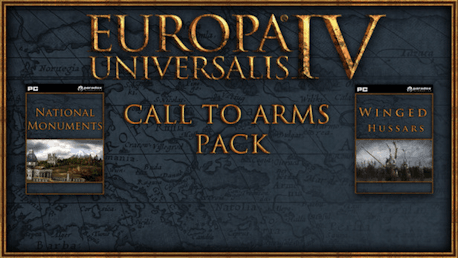
Europa Universalis IV: Call to Arms Pack includes:
Europa Universalis IV: The Winged Hussars Pack
Europa Universalis IV: Winged Hussars Unit Pack contains 12 unique cavalry models for the cavalry for Russia, Poland and Lithuania, three of the most influential eastern European states in the Europa Universalis IV era.
Europa Universalis IV: The National Monuments Pack
Europa Universalis IV: National Monuments adds new graphical national monuments to the already stunning Europa Universalis IV map. The new map items are: The Cologne Cathedral, The Notre Dame cathedral, The Tower of London, The Old Faithful geyser, The Kremlin, Saint Peters Cathedral, Mount Fuji and the temple Angkor Wat.
FREQUENTLY ASKED QUESTIONS
How does it work? Will I receive Europa Universalis IV: Call-to-Arms Pack as a physical copy?
No, you will receive Europa Universalis IV: Call-to-Arms Pack product key (Europa Universalis IV: Call-to-Arms Pack CD Key), that you will receive by e-mail. Afterwards, you will need to use the Steam-platform to redeem your Europa Universalis IV: Call-to-Arms Pack product key (Europa Universalis IV: Call-to-Arms Pack CD Key), and you'll be ready to download, install and play Europa Universalis IV: Call-to-Arms Pack. You will receive a step-by-step guide on how to do this along with your purchase. It's easy as can be!
Genre Simulation Strategy Single-player Multi-player Cross-Platform Multiplayer Downloadable Content Steam Achievements Steam Trading Cards Steam Workshop Steam Cloud Family Sharing
Publisher Paradox Interactive
PEGI-rating 
Udvikler Paradox Development Studio
Release date 13-08-2013
System requirements Read moreNo customer reviews for the moment.