 Contact
  Infocenter
  login
login Requires the base game Victoria 3 on Steam in order to use Victoria 3: Iberian Twilight - Immersion Pack.

 0 منتج المنتجات 0 Vare
 لا توجد منتجات
Your basket contains
0 Product(s) for a total of: 0.00 €
0 Product(s) for a total of: 0.00 €

تم أضافة المنتج بنجاح إلى سلة التسوق الخاصة بك
الكمية
الإجمالي
هناك 0 عناصر في عربتك. هناك منتج 1 في عربة تسوقك.
إجمالي المنتجات
إجمالي الشحن يجب تحديدها
الإجمالي
Victoria 3: Iberian Twilight - Immersion Pack (PC)
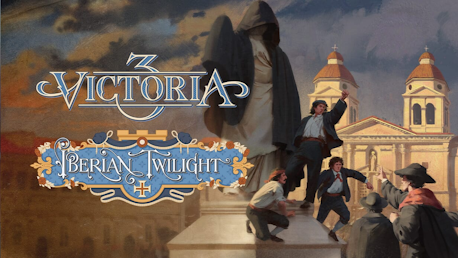
Victoria 3: Iberian Twilight - Immersion Pack (PC)
This game is on sale; sale ends in:

Victoria 3: Iberian Twilight - Immersion Pack CD key to be activated and downloaded via Steam. You will not be sent any physical items in the mail. You will receive a(n) Steam product key via e -mail.

Additional content!
VICTORIA 3: IBERIAN TWILIGHT - IMMERSION PACK GAME DESCRIPTION
Victoria 3: Iberian Twilight
Reverse the fortunes of the waning Spanish and Portuguese Empires in Iberian Twilight, an immersion pack for Victoria 3. Advance the banners of either reform or reaction as you endeavor to restore these once-mighty powers to their rightful place on the world stage.
Reform outmoded political and economic systems and foster an agricultural and industrial revolution on the peninsula.
Victoria 3: Iberian Twilight has new content related to:
Spain: Once the grandest empire on earth, now reeling from the loss of most of its American colonies.
Choose your side in the Carlist Wars - will you embrace liberal reform or rally behind the counter-revolution?
Reduce political instability and factionalism, and contend with forces seeking to challenge your rule.
Reaffirm your position as an imperial power and expand your influence in both the Old World and the New.
Modernize national institutions, and encourage an industrial boom in Catalonia, the Basque Country, and beyond.
Portugal: A once powerful state that maintains a diminished empire in Africa and Asia.
Deal with the fallout from the War of the Two Brothers and navigate competing visions for Portugal’s future.
Expand your influence and territorial holdings in Africa and Asia, reestablishing Portugal as a premier trading and colonial power.
Establish a mutually beneficial relationship with Brazil, fostering economic, cultural, and perhaps even political ties.
Other:
Embrace Iberism, and strive to unite the peninsula under one banner.
Updates and improvements for nations in the orbit of the Iberian powers.
New historical characters for the nations covered in the immersion pack
Art: A set of new buildings and unit models, as well as a new UI skin and new event images.


FREQUENTLY ASKED QUESTIONS
How does it work? Will I receive Victoria 3: Iberian Twilight - Immersion Pack as a physical copy?
No, you will receive Victoria 3: Iberian Twilight - Immersion Pack product key (Victoria 3: Iberian Twilight - Immersion Pack CD Key), that you will receive by e-mail. Afterwards, you will need to use the Steam-platform to redeem your Victoria 3: Iberian Twilight - Immersion Pack product key (Victoria 3: Iberian Twilight - Immersion Pack CD Key), and you'll be ready to download, install and play Victoria 3: Iberian Twilight - Immersion Pack. You will receive a step-by-step guide on how to do this along with your purchase. It's easy as can be!
Advance the banners of either reform or reaction as you endeavor to restore these once-mighty powers to their rightful place on the world stage.
Genre Simuladores Estrategia Un jugador Multijugador JcJ JcJ en línea Multijugador multiplataforma Contenido descargable Logros de Steam Steam Workshop Steam Cloud Préstamo familiar
Publisher Paradox Interactive
PEGI-rating 
Udvikler Paradox Development Studio
Sprog Inglés Francés Alemán Español de España Japonés Coreano Polaco Portugués de Brasil Ruso Chino simplificado Turco
Release date 11-12-2025
System requirements Read moreNo customer reviews for the moment.