 Contact
  Infocenter
  login
login Requires the base game Battle Brothers on Steam in order to use Battle Brothers - Beasts & Exploration.

 0 منتج المنتجات 0 Vare
 لا توجد منتجات
Your basket contains
0 Product(s) for a total of: 0.00 €
0 Product(s) for a total of: 0.00 €

تم أضافة المنتج بنجاح إلى سلة التسوق الخاصة بك
الكمية
الإجمالي
هناك 0 عناصر في عربتك. هناك منتج 1 في عربة تسوقك.
إجمالي المنتجات
إجمالي الشحن يجب تحديدها
الإجمالي
Battle Brothers - Beasts & Exploration (PC)
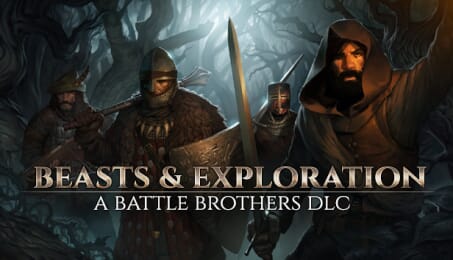
Battle Brothers - Beasts & Exploration (PC)

Battle Brothers - Beasts & Exploration CD key to be activated and downloaded via Steam. You will not be sent any physical items in the mail. You will receive a(n) Steam product key via e -mail.

Additional content!
BATTLE BROTHERS - BEASTS & EXPLORATION GAME DESCRIPTION

The 'Beasts & Exploration' DLC for Battle Brothers expands the game with a larger world, full of unique hidden locations throughout that offer new possibilities and rewards to the daring adventurer, as well as challenging new beasts roaming the untamed wilds. Craft your own gear from trophies you collect, customize your equipment with a new system for armor attachments, and engage in profitable beast hunting and exploration!
Features
- Legendary Locations - Hidden legendary locations offer new possibilities, lore, unique opponents, and unique rewards for the daring adventurer in a world that is 25% larger.
- New Opponents - Five challenging new beasts populate different parts of the wilds, and three fearsome bosses guard valuable treasure. All of them come with unique mechanics and loot.
- Crafting - Trophies from slain beasts can now be crafted into cloaks, armor plating, armor for your wardogs, shields, potions and other items to customize the look of your hardened mercenaries and benefit them in combat.
- Customize your Gear - Wear cloaks, shoulderguards and more for additional benefits with the new armor attachment system, and use the new paint items to paint shields and helmets in the colors of your company.
- New Weapons and Armor - A collection of new weapons and armors allow for new play styles and character builds.
- New Contracts, Events and Ambitions - Engage in profitable beast hunting and exploration. Immerse yourself in leading a mercenary company with even more illustrated events.
- New Music - Two new music tracks accompany you on your adventures.
- New Achievements - Challenge yourself with new achievements.

FREQUENTLY ASKED QUESTIONS
How does it work? Will I receive Battle Brothers - Beasts & Exploration as a physical copy?
No, you will receive Battle Brothers - Beasts & Exploration product key (Battle Brothers - Beasts & Exploration CD Key), that you will receive by e-mail. Afterwards, you will need to use the Steam-platform to redeem your Battle Brothers - Beasts & Exploration product key (Battle Brothers - Beasts & Exploration CD Key), and you'll be ready to download, install and play Battle Brothers - Beasts & Exploration. You will receive a step-by-step guide on how to do this along with your purchase. It's easy as can be!
The 'Beasts & Exploration' DLC for Battle Brothers expands the game with a larger world, hidden legendary locations, a crafting system, armor attachments, new equipment, as well as a variety of new opponents, contracts and events!
Genre Indie RPG Strategy Single-player Downloadable Content Steam Achievements Steam Trading Cards Steam Cloud Family Sharing
Publisher Overhype Studios
Udvikler Overhype Studios
Platform PC
Sprog Engelsk
Release date 29-11-2018
System requirements Read moreNo customer reviews for the moment.