
 Contact
  Infocenter
  login
login  0 منتج المنتجات 0 Vare
 لا توجد منتجات
0 Product(s) for a total of: 0.00 €

365 Days Nintendo Switch Online Membership (Family plan) (Nintendo Switch)

You can save with a family membership, which lets up to eight Nintendo Accounts in a family group enjoy Nintendo Switch Online under one membership!
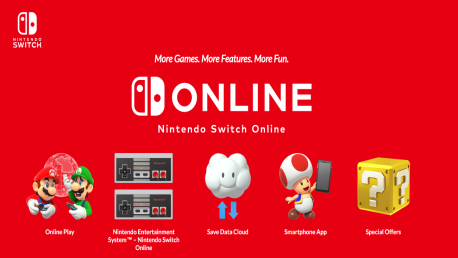
See what Nintendo Switch Online has to offer!
Online play
Take on rivals or play with friends online in thousands of supported Nintendo Switch titles, including Mario Kart 8 Deluxe, Splatoon 3, Nintendo Switch Sports and many more.
170+ classic games
Get access to a growing library of over 170 NES, Super NES and Game Boy titles, including Super Mario Bros. 3, Super Mario World and Tetris®. You can even compete and co-operate with friends online or via local wireless in supported games!
Exclusive benefits
Enjoy a range of benefits, including the Nintendo Music smart device app, Game Trials, Nintendo Switch Game Vouchers, exclusive games, and physical products that only Nintendo Switch Online members can purchase.
Access it all from your Nintendo Switch!
The Nintendo Switch Online application can be accessed from the HOME Menu of your Nintendo Switch, allowing you to see online services, the latest news and your current membership status.
You can also discover Missions & Rewards, where you can earn Platinum Points to exchange for My Nintendo Rewards or redeem for Nintendo Switch user icon parts!
How does it work? Will I receive 365 Days Nintendo Switch Online Membership (Family plan) as a physical copy?
No, you will receive 365 Days Nintendo Switch Online Membership (Family plan) product key (365 Days Nintendo Switch Online Membership (Family plan) CD Key), that you will receive by e-mail. Afterwards, you will need to use the Steam-platform to redeem your 365 Days Nintendo Switch Online Membership (Family plan) product key (365 Days Nintendo Switch Online Membership (Family plan) CD Key), and you'll be ready to download, install and play 365 Days Nintendo Switch Online Membership (Family plan). You will receive a step-by-step guide on how to do this along with your purchase. It's easy as can be!
No customer reviews for the moment.