
 Contact
  Infocenter
  login
login  0 منتج المنتجات 0 Vare
 لا توجد منتجات
0 Product(s) for a total of: 0.00 €

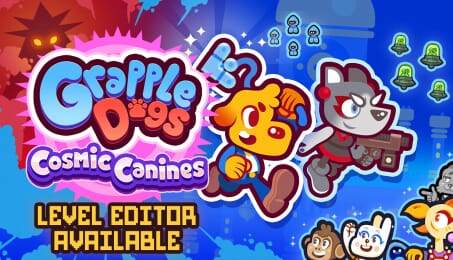
Grapple Dogs: Cosmic Canines

FEATURES
- Pure platforming bliss - Fast-paced swinging action meets a whole host of fresh abilities, such as magnetic panels and fire-dashing, all coming together as a tight, fun platforming romp!
- New worlds - Journey across dimensions in an epic quest to save... everything! Each unique world is bustling with vibrant, eye-catching pixel art and bubbling with personality!
- Gameplay galore - Sail across the cosmos to explore multiple worlds filled with tons of levels. Hidden collectibles, secret areas, memorable boss battles, bonus levels, time trials, and more to sink those canines into
- Exhilarating soundtrack - Jazz Mickle's catchy, killer soundtrack will have Grapple Dogs' beats stuck in your head forever, with level-by-level jams that are sure to get that tail waggin'!
TWO DOGS ARE BETTER THAN ONE
More dogs = more action! Mysterious newcomer Luna joins the adventure, with her weaponry adding exciting new gameplay features to the fray. Alternate between playing as the swingin' hero Pablo and the shoot-first-ask-questions-later anti-hero Luna.
THE RETURN OF PABLO
The pettable, adventurous, acrobatic pup Pablo returns, with his trusty grappling hook allowing him to zip across levels and worlds throughout the cosmos, completing tricky challenges and platforming tests, along with new powers and new friends.
SWING YOUR OWN WAY
Hone your grappling skills - or your gun-blasting prowess - with optional collectibles for those who love extra challenge. Try your speedrunning might with the Time Trial modes and race against the world(s) to prove who's the real top dog.

How does it work? Will I receive Grapple Dogs: Cosmic Canines as a physical copy?
No, you will receive Grapple Dogs: Cosmic Canines product key (Grapple Dogs: Cosmic Canines CD Key), that you will receive by e-mail. Afterwards, you will need to use the Steam-platform to redeem your Grapple Dogs: Cosmic Canines product key (Grapple Dogs: Cosmic Canines CD Key), and you'll be ready to download, install and play Grapple Dogs: Cosmic Canines. You will receive a step-by-step guide on how to do this along with your purchase. It's easy as can be!
Swing, jump, and blast through dimensions in the follow-up to the critically-acclaimed 2D action-platformer Grapple Dog. Zip between action-packed worlds as Pablo and Luna team up to save the cosmos in their own unique ways.
No customer reviews for the moment.