
 Kontakt
  Infocenter
  Log ind
  0 Indkøbskurv Indkøbskurv Indkøbskurv
 Ingen varer
0 Spil til en total pris af: 0,00 €

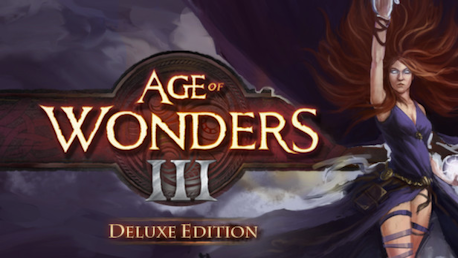
Age of Wonders III Deluxe Edition (PC)

Age of Wonders III Deluxe Edition includes:
- Age of Wonders III
- Age of Wonders III - Deluxe Edition DLC
Age of Wonders III is the long anticipated sequel to the award-winning strategy series. Delivering a unique mix of Empire Building, Role Playing and Warfare, Age of Wonders III offers the ultimate in turn-based fantasy strategy for veterans of the series and new players alike!
Create an Empire in your own Image
- Rule as one of 6 RPG style leader classes: Sorcerer, Theocrat, Rogue, Warlord, Archdruid, or the tech-focused Dreadnought.
- Research powerful skills unique to your class to develop your empire and arsenal.
- Choose your allies from among the six main races - Humans, High Elves, Dwarves, Orcs, Goblins and Draconians - and fantastical monster dwellings.
Explore and Exploit a Living Fantasy World
- Explore a rich fantasy world that is more detailed and alive than ever with over 50 location types to raid for treasure.
- Expand your domain by building new settlements, forge pacts with monstrous allies and capture valuable resources.
- Wield earth shattering magic and terra-form the lands for your needs.
Fight In-depth Tactical Battles
- Recruit legendary heroes, equip them with magical weapons, and let them lead your armies into battle.
- Crush your enemies using the detailed 3D turn-based Tactical Combat System.
- Become a master tactician. Crush city defenses. Learn to use flanking and master your army’s hundreds of abilities.
Master Age of Wonders III’s many Modes!
- Immerse yourself in a rich single player story campaign, playable from two sides of an epic conflict.
- Create endless scenarios using the random map generator.
- Compete in multiplayer wars with up to 8 players online.
Dragon’s Throne Scenario
An extra large standalone Scenario. Legend tells of dragons who ruled the fabled Sea of Flames at the dawn of time. However nobody has seen a True Dragon in living memory. The isles are still loaded with treasure and have become popular with adventures, merchants, scoundrels and sightseers. Now eight rival lords have found a mysterious dragon’s egg, and each sees it as proof of their claim to the Dragon’s Throne. The sages warn they risk unleashing the wrath of the Dragons, but the Lords pay no heed as they prepare for war. You can play the Dragon’s Throne versus AI opponents or in multiplayer with up to 8 players.
Age of Wonders III: Original Soundtrack
The two hour Age of Wonders III Original Soundtrack is composed by maestro Michiel van den Bos, of Unreal, Deux Ex, Overlord and Age of Wonders 1 fame. The OST features thirty one crisp, high quality 320kbs MP3 & FLAC tracks from Age of Wonders III and five exclusive bonus tracks. To top it off the OST includes liner notes by the composer - english only - and jewel case CD inlay jpg files. Be enchanted!
Songs and OST materials will be placed in your AoW3 folder in the Steam Directory: "...SteamsteamappscommonAoW3OST"
You can get there using your favorite file manager or by following these step:
1) Right click 'Age of Wonders III' in your Steam Library.
2) Select 'Properties'.
3) In the 'Age of Wonders III - Properties' tab, go to the 'Local Files' tab.
4) Select 'Browse Local Files...' to open the folder that contains the game.
5) Here you can find the 'OST' folder that contains your music.
Requires agreement to a 3rd-party EULA
Age of Wonders III EULA


Age of Wonders, the Age of Wonders logo, Triumph Studios and the Triumph Studios logo are trademarks of Triumph Studios B.V.. Copyright (c) 1999-2014 Triumph Studios. All Rights Reserved. All other trademarks and trade names are properties of their respective owners.
Hvordan virker det? Modtager jeg Age of Wonders III Deluxe Edition fysisk?
Nej, du modtager en Age of Wonders III Deluxe Edition produktnøgle (Age of Wonders III Deluxe Edition CD Key), som du modtager via e-mail. Du skal derefter bruge Steam-platformen til at indløse din Age of Wonders III Deluxe Edition produktnøgle (Age of Wonders III Deluxe Edition CD Key), og du er derefter klar til downloade, installere og spille Age of Wonders III Deluxe Edition. Ved køb af spillet, modtager du samtidig en vejledning til hvordan dette gøres, hvis du skulle være i tvivl. Så bliver det ikke nemmere!
Age of Wonders III is the long anticipated sequel to the award-winning strategy series. Delivering a unique mix of Empire Building, Role Playing and Warfare, Age of Wonders III offers the ultimate in turn-based fantasy strategy for veterans of the series and new players alike!

Der er i øjeblikket ingen anmeldelser