
 Kontakt
  Infocenter
  Log ind
  0 Indkøbskurv Indkøbskurv Indkøbskurv
 Ingen varer
0 Spil til en total pris af: 0,00 €

Locked in my Darkness 2: The Room (PC)

⚠️ Please Note:
Locked In My Darkness 2: The Room is a slow-paced, first-person psychological horror game with a focus on atmosphere, exploration, and puzzle-solving. It is not an action or combat-heavy experience. Estimated playtime: 2 to 3 hours. Multiple endings available.
About the Game
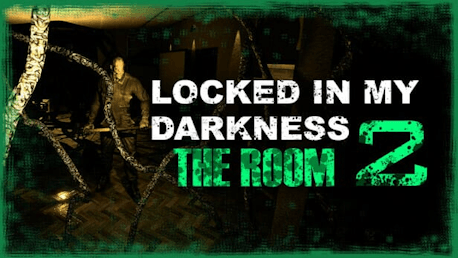
Locked In My Darkness 2: The Room is a first-person psychological horror game that places you in the shoes of Yuki Tachibana, a Japanese high school student who recently moved with her parents to a modest apartment in New York. But their attempt at a fresh start is shattered as the sins of the past refuse to remain hidden—and something dark begins to awaken within the walls of their new home.
As you explore the apartment and beyond, you’ll uncover notes, solve environmental puzzles, and shift between warped realities—unraveling the final secrets behind Yuki’s family and the dark forces that have haunted them since the events of Locked In My Darkness and Blue Maiden. This final chapter brings the trilogy to a chilling conclusion, where all paths lead back to the truth buried in the shadows.
Key Features
Psychological Horror: Experience a dark, narrative-driven journey inspired by classic psychological horror. Expect disturbing audio, tense environments, and an unsettling atmosphere that evolves as the game progresses.
Exploration-Focused Gameplay: Investigate multiple interconnected rooms and scenarios using a flashlight to navigate, uncover clues, read scattered notes, and slowly piece together the truth.
Otherworldly Realms: Traverse surreal alternate dimensions inspired by psychological horror classics—where reality twists, and new dangers (and memories) await.
Atmospheric Realism: Explore a gritty, grounded New York apartment building with a Japanese influence, brought to life through immersive lighting, sound, and environmental storytelling.
Multiple Endings: Your choices and discoveries determine how the story ends. Can you uncover all of Yuki’s fate?
Collectibles: Optional collectibles offer deeper insight into the characters and world for players who seek to understand every layer of the story.
A dark past. A foreign home. A room that won’t let you leave.
Face what haunts you. Escape what binds you. The final chapter awaits.

© Blusagi Team & Freedom Games - All Rights Reserved
Hvordan virker det? Modtager jeg Locked in my Darkness 2: The Room fysisk?
Nej, du modtager en Locked in my Darkness 2: The Room produktnøgle (Locked in my Darkness 2: The Room CD Key), som du modtager via e-mail. Du skal derefter bruge Steam-platformen til at indløse din Locked in my Darkness 2: The Room produktnøgle (Locked in my Darkness 2: The Room CD Key), og du er derefter klar til downloade, installere og spille Locked in my Darkness 2: The Room. Ved køb af spillet, modtager du samtidig en vejledning til hvordan dette gøres, hvis du skulle være i tvivl. Så bliver det ikke nemmere!
A psychological horror walking sim set between realities—where the past never truly stays buried.
Der er i øjeblikket ingen anmeldelser