
 Kontakt
  Infocenter
  Log ind
  0 Indkøbskurv Indkøbskurv Indkøbskurv
 Ingen varer
0 Spil til en total pris af: 0,00 €

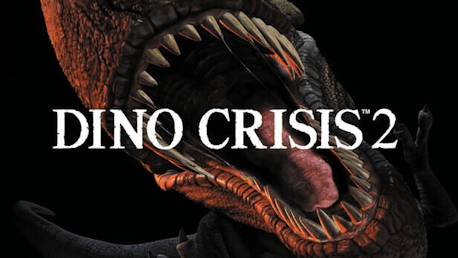
Dino Crisis 2 (PC)

STORY SECTION
A year has passed since the operation to retrieve Dr. Kirk.
Third Energy, both a source of "ultimate clean energy" and a potential "ultimate weapon," has proven to be dangerously unpredictable.
The government, having taken control of the project from Dr. Kirk, continued its development.
Then, the “accident” happened once again.
The research city of Edward City was completely destroyed in an explosion from the Third Energy reactor—an event far more catastrophic than the previous accident.
In response, the government launched a rescue mission to retrieve the research data and any remaining personnel.
To reach Edward City, believed to have been displaced in time by the reactor’s explosion, the government deployed an experimental, untested “time gate” device to send a rescue team back in time.
No one could foresee the consequences of this mission—except one person: Regina…
Here’s some of the adjustments we made:
Full compatibility with Windows 10 and Windows 11.
All 2 localizations of the game included (English, Japanese).
Easy difficulty, Dino Colosseum and Dino Duel included.
Improved DirectX game renderer.
New rendering options (Windowed Mode, Vertical Synchronization Control, Gamma Correction, Integer Scaling, Anti-Aliasing and more).
Improved music playback and volume scaling.
Improved item rendering and fogging.
Improved cartridge boxes alignment.
Issue-free video playback, task switching and game exit.
Support for modern controllers (Sony DualSense, Sony DualShock4, Microsoft Xbox Series, Microsoft Xbox One, Microsoft Xbox 360, Nintendo Switch, Logitech F series and many more) with optimal button binding regardless of the hardware and wireless mode.
Graphic Option Settings Overview
"Display mode" - Provides the control over monitor resolution and refresh rate.
"Presentation" - Provides the control over presentation mode (fullscreen / windowed).
"Aspect ratio correction" - Provides the control over image aspect ratio correction.
"Scaling method" - Provides the control over image scaling mode (how image is scaled on a monitor).
"Vertical synchronization" - Provides the control over vertical synchronization (frame synchronization).
"Gamma Correction” - Provides the control over gamma correction (image brightness).
"Anisotropic filtering" - Provides the control over anisotropic texture filtering technique (texturing quality).
"Antialiasing" - Provides the control over anti-aliasing technique (3D geometry edges smoothing).
※WARNING※ The difference of each settings may be difficult to distingush depending on the environment
As is now tradition, let’s take a trip down memory lane and revisit how Dino Crisis 2 was described back in 2000:
In addition to “Regina,” the main character continues from the previous work, “Dylan” also makes an appearance
The number of weapons you can handle has increased, so use the characteristics of each to overcome difficult challenges!
More than 10 types of dinosaurs. The number of dinosaurs attacking at once has doubled!
The game takes place in the world of the Cretaceous Period...
he stage has moved from the facility-centered setting of the previous game to the world of the Cretaceous Period. Dinosaurs attack players in various scenes, including jungles, caves, lakes, and some buildings eroded by plants!
This re-released version of the game was co-developed by GOG.


©CAPCOM
Hvordan virker det? Modtager jeg Dino Crisis 2 fysisk?
Nej, du modtager en Dino Crisis 2 produktnøgle (Dino Crisis 2 CD Key), som du modtager via e-mail. Du skal derefter bruge Steam-platformen til at indløse din Dino Crisis 2 produktnøgle (Dino Crisis 2 CD Key), og du er derefter klar til downloade, installere og spille Dino Crisis 2. Ved køb af spillet, modtager du samtidig en vejledning til hvordan dette gøres, hvis du skulle være i tvivl. Så bliver det ikke nemmere!
The game takes place in the world of the Cretaceous Period... Dinosaurs attack players in various scenes, including jungles, caves, lakes, and some buildings eroded by plants! Use the characteristics of increased number of weapons to overcome difficult challenges!

Der er i øjeblikket ingen anmeldelser