 Contact
  Infocenter
  login
login Requires the base game Crusader Kings II on Steam in order to use Crusader Kings II: Sword of Islam.

 0 Artikel Artikel 0 Vare
 Keine Artikel
Your basket contains
0 Product(s) for a total of: 0,00 €
0 Product(s) for a total of: 0,00 €

Artikel wurde in den Korb gelegt
Menge
Gesamt
Sie haben 0 Artikel in Ihrem Warenkorb. Es gibt 1 Artikel in Ihrem Warenkorb.
Gesamt Artikel
Versandkosten noch festzulegen
Gesamt
Crusader Kings II: Sword of Islam (PC)
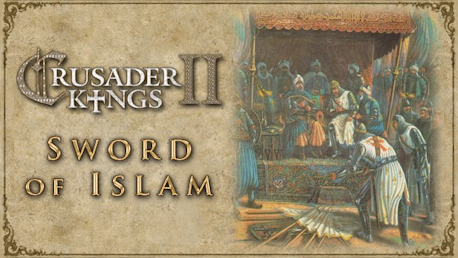
Crusader Kings II: Sword of Islam (PC)

Crusader Kings II: Sword of Islam CD key to be activated and downloaded via Steam. You will not be sent any physical items in the mail. You will receive a(n) Steam product key via e -mail.

Additional content!
CRUSADER KINGS II: SWORD OF ISLAM GAME DESCRIPTION
Europe is in turmoil. The lands are fragmented into petty fiefs, the emperor struggles with the Pope, and the Holy Father declares that all those who go to liberate the Holy Land will be freed of their sins. Now is the time for greatness!
The first expansion for Crusader Kings II: Sword of Islam will add playable Muslim rulers to the game.
Crusader Kings II explores one of the defining periods in world history in an experience crafted by the masters of Grand Strategy. Medieval Europe is brought to life in this epic game of knights, schemes, and thrones.
"The Ummah is under attack. All true muslims must be charitable in peace and relentless in Jihad. Let the Sword of Islam fall upon the infidels that threaten our lands, our faith! “
Main features:
- Muslim rulers now playable
- Updated interface for playable Muslims characters
- Unlocks more than 20 features in the game
- New counties and titles
- Balance Greed vs. Nobility with the new Muslim Dynasty Decadence System
- Polygamy. Allow up to four wives for Muslim rulers.
- Story events, starting circa the year 100, such as: The Harem, Shia vs. Sunni, Sufi mystics, Dervishes, The Assassins, Sharia, Wife wants to become first wife
- Combat Revisions with new Commander traits for more interesting combat tactics
FREQUENTLY ASKED QUESTIONS
How does it work? Will I receive Crusader Kings II: Sword of Islam as a physical copy?
No, you will receive Crusader Kings II: Sword of Islam product key (Crusader Kings II: Sword of Islam CD Key), that you will receive by e-mail. Afterwards, you will need to use the Steam-platform to redeem your Crusader Kings II: Sword of Islam product key (Crusader Kings II: Sword of Islam CD Key), and you'll be ready to download, install and play Crusader Kings II: Sword of Islam. You will receive a step-by-step guide on how to do this along with your purchase. It's easy as can be!
Publisher Paradox Interactive
Udvikler Paradox Development Studio
Sprog Inglés
System requirements Read moreNo customer reviews for the moment.