
 Contact
  Infocenter
  login
login  0 Artikel Artikel 0 Vare
 Keine Artikel
0 Product(s) for a total of: 0,00 €

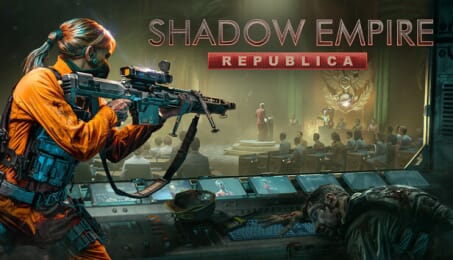
Shadow Empire: Republica

Republica DLC: A New Political Era in Shadow Empire
Republica DLC expands the political systems in Shadow Empire, marking a big milestone for the franchise, and adding new layers of complexity and immersion. The introduction of Virtus significantly changes the game balance.
The Introduction of Virtus and New Forms of Government
Virtus represents the spirit and will of society, where democracy can decay into a spoiled democracy, meritocracy into an oligarchy, or autocracy into a tyranny. Rallying the people will require careful strategy, cunning, or even extreme measures like revolution and radical forms of government, including: handing power over to the Syndic Computer, adopting a Feudal Code and becoming a Fanatical Autocracy.
The Unpredictable Balance of Laws and Political Bodies
With Republica, political bodies like parliaments, senates, and politburos now vote on new laws, influencing the trajectory of the player’s rule. While laws can provide advantages, they come with significant costs. Adapting to the vote may be necessary, or drastic measures might be required to maintain control. At some point, the temptation to install an autocracy may arise, but even that comes at a price…
Features
- 9 Political Systems
- 50+ Laws
- Syndic Computer is ready to be installed. Beware: Possibly paranoid.
- 200+ new Stratagems, including 50+ new Regime Feats
- Some Regime Feats enable new mechanics like: Counter-espionage and Propaganda
- Advanced Election mechanics including Voterblocks and Populism
- Feudal Code allows Dynasties to claim Zones as their Fiefs and raise Household Militias.
- Fanatical Autocracy will assure sacrifice and loyalty at all cost.
- Virtus mechanics
- Apparatchik mechanics
- More in depth Leaders with Social Standing Stats, Value Types & Society Types.
- Advanced Wealth mechanics for Leaders
- Social Standing Feats & Assets for Leaders
- Military Coups
- Popular Revolts
- Palace Revolutions
- Upheaval Events
- 9 new soundtracks, one for each political system
- And much more…


How does it work? Will I receive Shadow Empire: Republica as a physical copy?
No, you will receive Shadow Empire: Republica product key (Shadow Empire: Republica CD Key), that you will receive by e-mail. Afterwards, you will need to use the Steam-platform to redeem your Shadow Empire: Republica product key (Shadow Empire: Republica CD Key), and you'll be ready to download, install and play Shadow Empire: Republica. You will receive a step-by-step guide on how to do this along with your purchase. It's easy as can be!
Republica DLC expands Shadow Empire's political systems, introducing new layers of realism, difficulty, and replayability. Manage societal decay, pass laws, fight a paranoid computer, and navigate various government forms. This content requires the base game Shadow Empire on Steam to play.
No customer reviews for the moment.