 Contact
  Infocenter
  login
login Requires the base game Hearts of Iron IV on Steam in order to use Focus Pack - Hearts of Iron IV: Peace For Our Time.

 0 Artikel Artikel 0 Vare
 Keine Artikel
Your basket contains
0 Product(s) for a total of: 0,00 €
0 Product(s) for a total of: 0,00 €

Artikel wurde in den Korb gelegt
Menge
Gesamt
Sie haben 0 Artikel in Ihrem Warenkorb. Es gibt 1 Artikel in Ihrem Warenkorb.
Gesamt Artikel
Versandkosten noch festzulegen
Gesamt
Focus Pack - Hearts of Iron IV: Peace For Our Time (PC)
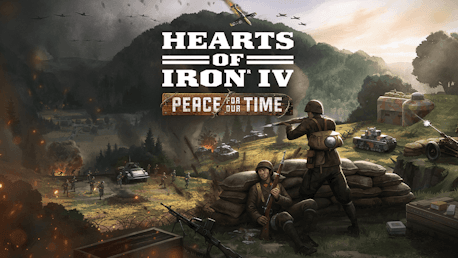
Focus Pack - Hearts of Iron IV: Peace For Our Time (PC)

Focus Pack - Hearts of Iron IV: Peace For Our Time CD key to be activated and downloaded via Steam. You will not be sent any physical items in the mail. You will receive a(n) Steam product key via e -mail.

Additional content!
FOCUS PACK - HEARTS OF IRON IV: PEACE FOR OUR TIME GAME DESCRIPTION
The Allied betrayal of Czechoslovakia at Munich and the later German annexation of that country is a key moment in the historical march towards World War II in Europe. But imagine a world where the White Lion of Prague was prepared to face German aggression - bravery in the face of oppression. Explore that scenario in Peace for Our Time, a new Focus Pack for Hearts of Iron IV.
Created in collaboration with veteran modders Logan ‘Spicy Alfredo’ Calkins, Abbus Fung and Marijn ‘marijn211’ Vroegh, this Focus Pack offers new options for Czechoslovakia in a desperate fight for survival against overwhelming odds, posing a unique challenge to all Hearts of Iron IV players.
Hearts of Iron IV: Peace for Our Time features include:
Democratic National Focus Path: Surrounded by non-democratic nations, safeguard Czechoslovakia’s freedom by forging your own faction, leading a government in exile or pursuing independence.
Communist National Focus Path: Spark a socialist revolution to replace the failed middle path, joining the Comintern or uniting the region under your own federation; whether through radical struggle or moderate reform.
Monarchist and Fascist National Focus Paths: Rally nationalist forces to establish a new kingdom of Bohemia or embrace military dictatorship, expand your influence through allies or subjects, and decide whether to entrench authoritarianism or return to democracy once the crisis has passed.
Manage your arms industry, become an industrial powerhouse, and shape conflicts across the globe by exporting weapons abroad.
Engage with the Divided Nation mechanic to solve the challenges of governing a divided democracy.
Army Readiness Balance of Power forces you to ensure you have the support of the military.
New Art and Music, including two new music tracks, 3D depictions of the historical Prague Castle and Bojnice Castle, new equipment graphics and new focus icons and character portraits.


FREQUENTLY ASKED QUESTIONS
How does it work? Will I receive Focus Pack - Hearts of Iron IV: Peace For Our Time as a physical copy?
No, you will receive Focus Pack - Hearts of Iron IV: Peace For Our Time product key (Focus Pack - Hearts of Iron IV: Peace For Our Time CD Key), that you will receive by e-mail. Afterwards, you will need to use the Steam-platform to redeem your Focus Pack - Hearts of Iron IV: Peace For Our Time product key (Focus Pack - Hearts of Iron IV: Peace For Our Time CD Key), and you'll be ready to download, install and play Focus Pack - Hearts of Iron IV: Peace For Our Time. You will receive a step-by-step guide on how to do this along with your purchase. It's easy as can be!
Imagine a world where the White Lion of Prague was prepared to face German aggression.
Genre Simulation Strategy Single-player Multi-player Co-op Cross-Platform Multiplayer Downloadable Content Steam Achievements Steam Trading Cards Steam Workshop Steam Cloud Remote Play on Tablet Family Sharing
Publisher Paradox Interactive
PEGI-rating 
Udvikler Paradox Development Studio
Sprog Engelsk Fransk Tysk Polsk Portuguese - Brazil Russisk Spanish - Spain Japansk Simplified Chinese Koreansk
Release date 22-04-2026
System requirements Read moreNo customer reviews for the moment.