 Contact
  Infocenter
  login
login Requires the base game Victoria 3 on Steam in order to use Victoria 3: The Great Wave - Expansion.

 0 Artikel Artikel 0 Vare
 Keine Artikel
Your basket contains
0 Product(s) for a total of: 0,00 €
0 Product(s) for a total of: 0,00 €

Artikel wurde in den Korb gelegt
Menge
Gesamt
Sie haben 0 Artikel in Ihrem Warenkorb. Es gibt 1 Artikel in Ihrem Warenkorb.
Gesamt Artikel
Versandkosten noch festzulegen
Gesamt
Victoria 3: The Great Wave - Expansion (PC)
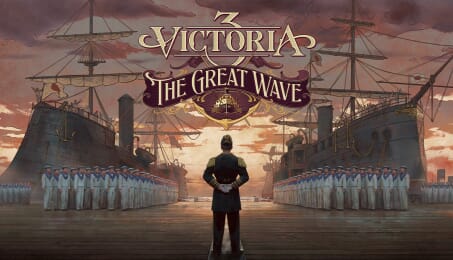
Victoria 3: The Great Wave - Expansion (PC)

Victoria 3: The Great Wave - Expansion CD key to be activated and downloaded via Steam. You will not be sent any physical items in the mail. You will receive a(n) Steam product key via e -mail.

Additional content!
VICTORIA 3: THE GREAT WAVE - EXPANSION GAME DESCRIPTION
Command the waves in a time of ambition and upheaval. Design mighty warships, guard the world’s straits, and employ gunboat diplomacy to bend lesser powers to your will.
Use the power of your navy in order to dominate local rivals and keep foreign threats at bay.
Guide Japan through the last days of the Shogunate, navigating turmoil at home and pressure from abroad as you forge a modern power ready to challenge the greatest empires of the day.
Victoria 3: The Great Wave includes new content related to:
Ship Designer: Design and construct a fleet according to your country’s strategic needs. Build powerful but expensive ocean-travelling warships to influence other nations, or build an efficient fleet designed to keep your coasts safe.
Flagships: Customize your very own pride of the fleet and let it lead your navy to prestigious victories.
Ship purchase treaties: Sell your ships to other countries across the globe, and draw profit from your ship building capabilities.
Gunboat Diplomacy options: Use your fleet to influence other countries in new diplomatic actions.
Narrative content:
Steer Japan through the social and political tumults of the late Edo period, characterized by increased challenges to Tokugawa samurai rule. Adapt to or revolt against a changing domestic and international landscape, and reform the country to see your vision through.
Contend with the entry of Japan onto the world stage, and best the Western powers at their own game. Use your navy to extend the reach of Japan beyond the home islands, and compete for land and influence with your powerful neighbours.
New historical characters.
Art: New clothing assets, a Japanese building style, UI skin, map, and table assets.
Music: New period appropriate music tracks evoking Japan’s rich culture.


FREQUENTLY ASKED QUESTIONS
How does it work? Will I receive Victoria 3: The Great Wave - Expansion as a physical copy?
No, you will receive Victoria 3: The Great Wave - Expansion product key (Victoria 3: The Great Wave - Expansion CD Key), that you will receive by e-mail. Afterwards, you will need to use the Steam-platform to redeem your Victoria 3: The Great Wave - Expansion product key (Victoria 3: The Great Wave - Expansion CD Key), and you'll be ready to download, install and play Victoria 3: The Great Wave - Expansion. You will receive a step-by-step guide on how to do this along with your purchase. It's easy as can be!
Use the power of your navy in order to dominate local rivals and keep foreign threats at bay.
Genre Simulation Strategy Single-player Multi-player PvP Online PvP Cross-Platform Multiplayer Downloadable Content Steam Achievements Steam Workshop Color Alternatives Custom Volume Controls Adjustable Difficulty Keyboard Only Option Mouse Only Option Playable without Timed Input Save Anytime Stereo Sound Surround Sound Steam Cloud Family Sharing
Publisher Paradox Interactive
PEGI-rating 
Udvikler Paradox Development Studio
Sprog Engelsk Fransk Tysk Spanish - Spain Japansk Koreansk Polsk Portuguese - Brazil Russisk Simplified Chinese Turkish
Release date 28-04-2026
System requirements Read moreNo customer reviews for the moment.