 Contact
  Infocenter
  login
login Requires the base game Stellaris: Standard Edition on Steam in order to use Stellaris: Season 10.

 0 Artikel Artikel 0 Vare
 Keine Artikel
Your basket contains
0 Product(s) for a total of: 0,00 €
0 Product(s) for a total of: 0,00 €

Artikel wurde in den Korb gelegt
Menge
Gesamt
Sie haben 0 Artikel in Ihrem Warenkorb. Es gibt 1 Artikel in Ihrem Warenkorb.
Gesamt Artikel
Versandkosten noch festzulegen
Gesamt
Stellaris: Season 10 (PC)
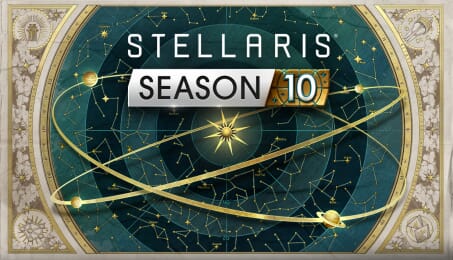
Stellaris: Season 10 (PC)

Stellaris: Season 10 CD key to be activated and downloaded via Steam. You will not be sent any physical items in the mail. You will receive a(n) Steam product key via e -mail.
Additional content!
STELLARIS: SEASON 10 GAME DESCRIPTION
Forge a legacy that spans the stars and defies the rules.
Unlock the complete 2026 roadmap for Stellaris! The Stellaris: Season 10 Expansion pass is a journey through resilience and movement. Whether you are wandering the stars with Stellaris: Nomads or rooting your empire in the indomitable spirit of Stellaris: Willpower, this year redefines how empires survive, adapt, and conquer.
Stellaris: Season 10 will grant you access to all five DLCs as soon as they become available!
Included in this Expansion pass:
Stellaris: Vipra the Vapor Species Portrait (Day 1 Unlock)
This exclusive portrait comes with Stellaris: Season 10, allowing your empire to take the form of the elusive Vipra, beings of shifting atmosphere and smoke. Available immediately upon purchasing Stellaris: Season 10, it features 3 different phenotypes and ethereal custom animations.
You can select this portrait in the Empire Creation screens before starting a new game session.
- Instant Exclusive access when buying the Stellaris: Season 10 Expansion pass.
- This content might be made available or purchasable individually at a later date.
Stellaris: Nomads (Coming Q2 2026)
In Nomads, you thrive inside colossal Arkships that carry your people, your industry, and your ambition across the stars. Move freely through the galaxy, take on Contracts from settled empires, and leave your mark by building Waystations. Nomads do not own the map. They blaze a path across it.
- Nomadic Empires: Create empires not bound by claiming systems or colonizing Worlds.
- Arkships: New massive space vessel acting as your capital.
- New Ambition: Defender of the Galaxy: Rise and save the Galaxy with an exclusive set of Hero ships.
- New Origins: for your nomadic empire.
- New megastructure: Construct a Dyson Gun and discharge your entire energy stockpile into a devastating beam.
Stellaris: Willpower (Coming Q4 2026)
Shape Minds, Rule the Stars. In a Galaxy where borders fade, ideas endure. In Stellaris: Willpower, your Ethics evolve into powerful ideologies capable of reshaping entire civilizations.
Your empire was built on its guiding Ethics, the internal compass that steered the course of your journey so far. Now is the time for those fundamental values to evolve into Ideologies with the power to sway the stars.
Stellaris: Scenario Pack 1 (Coming Q4 2026)
Embark on a new set of galactic challenges! Experience curated, high-stakes standalone adventures that push your strategic limits. From a nomadic, roguelike odyssey across the stars to high-octane, combat-focused multiplayer experiences, these scenarios will provide a bold way to play Stellaris.
- Vanguards: A single-player roguelike.
- Arcade: A multiplayer experience with a streamlined economy.
Stellaris: Scenario Pack 2 (Coming Q4 2026)
Rewrite the rules of engagement! Dive into curated, high-stakes standalone experiences designed to test your mastery of the Stars. Whether leading an ultimate extra-dimensional invasion or battling your friends in a race for dominance, these scenarios offer a fresh, distilled way to play Stellaris.
- Unbidden: Play as the crisis in a single-player experience.
- King of the Hill: A contained and fair competitive galaxy to challenge your friends.
FREQUENTLY ASKED QUESTIONS
How does it work? Will I receive Stellaris: Season 10 as a physical copy?
No, you will receive Stellaris: Season 10 product key (Stellaris: Season 10 CD Key), that you will receive by e-mail. Afterwards, you will need to use the Steam-platform to redeem your Stellaris: Season 10 product key (Stellaris: Season 10 CD Key), and you'll be ready to download, install and play Stellaris: Season 10. You will receive a step-by-step guide on how to do this along with your purchase. It's easy as can be!
The Stellaris: Season 10 Expansion pass is a journey through resilience and movement. Whether you are wandering the stars with Stellaris: Nomads or rooting your empire in the indomitable spirit of Stellaris: Willpower, this year redefines how empires survive, adapt, and conquer.
Genre Simulation Strategy Single-player Multi-player Cross-Platform Multiplayer Downloadable Content Steam Achievements Steam Trading Cards Steam Workshop Steam Cloud Family Sharing
Publisher Paradox Interactive
PEGI-rating 
Udvikler Paradox Development Studio
Sprog Engelsk Fransk Tysk Spanish - Spain Polsk Portuguese - Brazil Russisk Simplified Chinese Japansk Koreansk
Release date 29-04-2026
System requirements Read moreNo customer reviews for the moment.