 Contact
  Infocenter
  Login
Login Requires the base game Middle-earth: Shadow of War on Steam in order to use Middle-earth™: Shadow of War™ Blade of Galadriel.

 0 Product Products 0 Items
 No products
Your basket contains
0 Product(s) for a total of: 0,00 €
0 Product(s) for a total of: 0,00 €

Product successfully added to your shopping cart
Quantity
Total
There are 0 items in your cart. There is 1 item in your cart.
Total products
Total shipping To be determined
Total
Middle-earth™: Shadow of War™ Blade of Galadriel (PC)
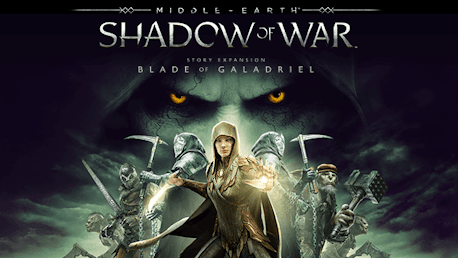
Middle-earth™: Shadow of War™ Blade of Galadriel (PC)

Middle-earth™: Shadow of War™ Blade of Galadriel CD key to be activated and downloaded via Steam. You will not be sent any physical items in the mail. You will receive a(n) Steam product key via e -mail.

PLEASE NOTE - THIS IS AN EXPANSION PACK
MIDDLE-EARTH™: SHADOW OF WAR™ BLADE OF GALADRIEL GAME DESCRIPTION
The Blade of Galadriel Story Expansion includes:
- NEW Story campaign
- NEW Orc Allies & Side Missions
- NEW Boss fights against the Ringwraiths and Dark Talion
- NEW Light wielding Combat
- NEW Legendary Gear Set for Eltariel
Play as Eltariel, the Blade of Galadriel, as she hunts the newest Ringwraith. Her epic story begins on the tower of Barad-dûr after the battle with Sauron and takes her across Mordor.
Eltariel enters battle with a new dual wield combat style, new powers based on the Light of Galadriel and the ability to wield the New Ring.


MIDDLE-EARTH: SHADOW OF WAR software © 2017 Warner Bros. Entertainment Inc. Developed by Monolith Productions. © 2017 New Line Productions, Inc. All The Lord of the Rings content other than content from the New Line films © 2017 The Saul Zaentz Company d/b/a Middle-earth Enterprises (“SZC”). Middle-earth: Shadow of War, The Lord of the Rings and the names of the characters, items, events and places therein are trademarks of SZC under license to Warner Bros. Interactive Entertainment.
MONOLITH LOGO, WB GAMES LOGO, WB SHIELD: ™ & © Warner Bros. Entertainment Inc.
(s17)
FREQUENTLY ASKED QUESTIONS
How does it work? Will I receive Middle-earth™: Shadow of War™ Blade of Galadriel as a physical copy?
No, you will receive Middle-earth™: Shadow of War™ Blade of Galadriel product key (Middle-earth™: Shadow of War™ Blade of Galadriel CD Key), that you will receive by e-mail. Afterwards, you will need to use the Steam-platform to redeem your Middle-earth™: Shadow of War™ Blade of Galadriel product key (Middle-earth™: Shadow of War™ Blade of Galadriel CD Key), and you'll be ready to download, install and play Middle-earth™: Shadow of War™ Blade of Galadriel. You will receive a step-by-step guide on how to do this along with your purchase. It's easy as can be!
Genre Action Adventure RPG Single-player Downloadable Content Steam Achievements Full controller support Steam Trading Cards In-App Purchases Family Sharing
Publisher Warner Bros. Games
PEGI-rating 
Developer Monolith Productions, Inc.
Platform PC
Language English French Italian German Spanish - Spain Japanese Polish Portuguese - Brazil Russian Arabic Korean Simplified Chinese Traditional Chinese
Release date 08-02-2018
System requirements Read moreNo customers reviews at the moment.