
 Contact
  Infocenter
  Login
Login  0 Product Products 0 Items
 No products
0 Product(s) for a total of: 0,00 €

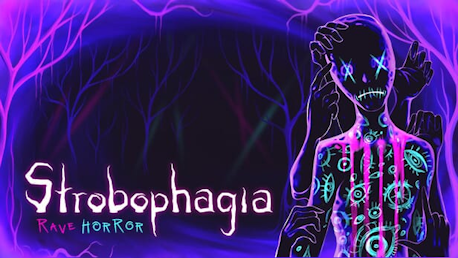
Strobophagia | Rave Horror (PC)

Dance, Drink and Die

Following a promise of the ultimate expression of freedom, you find yourself at the Headless Rave Festival. However, that freedom comes at a cost as the organisers announce that the price of admission is the lives of all attendees.
Find a way to escape, even as the forest itself appears to work against you. Try to maintain a grip on reality while logic takes a backseat. And whatever you do, stay away from the sinister presence in the darkness.
Can you make your way out without losing yourself?
- Classic survival horror through a psychedelic rave lens
- Macabre puzzles following twisted logic
- In-game smartphone mechanic that helps you locate points of interest and consult the numerous attendees for help


Strobophagia is © Green Tile Digital 2020
How does it work? Will I receive Strobophagia | Rave Horror as a physical copy?
No, you will receive Strobophagia | Rave Horror product key (Strobophagia | Rave Horror CD Key), that you will receive by e-mail. Afterwards, you will need to use the Steam-platform to redeem your Strobophagia | Rave Horror product key (Strobophagia | Rave Horror CD Key), and you'll be ready to download, install and play Strobophagia | Rave Horror. You will receive a step-by-step guide on how to do this along with your purchase. It's easy as can be!
An occult forest rave ⸸ Strange rituals ⸸ Enigmatic organisers ⸸ An ancient evil ⸸ Pure Psychedelic Horror
No customers reviews at the moment.