 Contact
  Infocenter
  Login
Login Requires the base game Hunt: Showdown 1896 on Steam in order to use Hunt: Showdown 1896 - Fire Fight.

 0 Product Products 0 Items
 No products
Your basket contains
0 Product(s) for a total of: 0,00 €
0 Product(s) for a total of: 0,00 €

Product successfully added to your shopping cart
Quantity
Total
There are 0 items in your cart. There is 1 item in your cart.
Total products
Total shipping To be determined
Total
Hunt: Showdown 1896 - Fire Fight (PC)
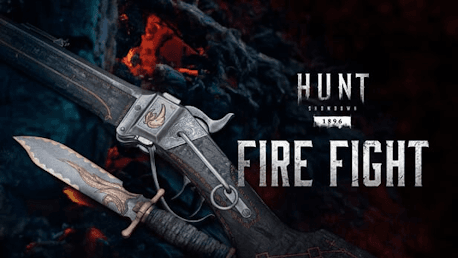
Hunt: Showdown 1896 - Fire Fight (PC)

Hunt: Showdown 1896 - Fire Fight CD key to be activated and downloaded via Steam. You will not be sent any physical items in the mail. You will receive a(n) Steam product key via e -mail.

PLEASE NOTE - THIS IS AN EXPANSION PACK
HUNT: SHOWDOWN 1896 - FIRE FIGHT GAME DESCRIPTION
Algiers Phoenix: Christened by the New Orleans Fire Department, the Algiers Phoenix helped several victims “rise from the ashes” when it freed them from the flames devouring the Algiers neighborhood. A heavy knife handy both in an emergency and in the field.
Fire Torn: Charred but not destroyed, this Sparks LRR is not a testament to the destructive power of fire, but to the resilience of that which withstands it. A symbol of hope for rejuvenation.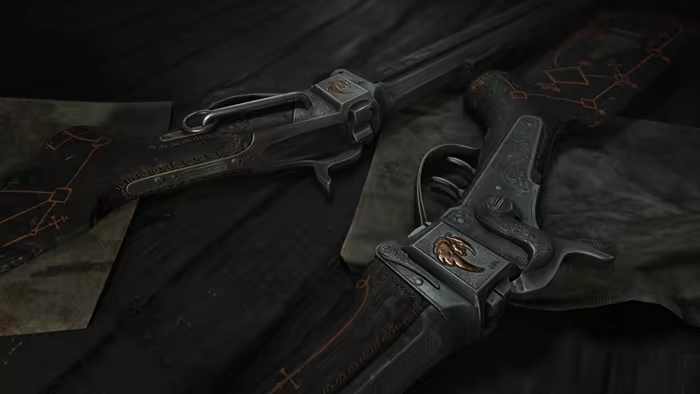


Hunt: Showdown 1896 © 2024 CRYTEK GMBH. Crytek, CRYENGINE, Hunt: Showdown, Hunt: Showdown 1896 and the respective logos are trademarks or registered trademarks of the Crytek group in the EU, U.S. and/or other territories. All other trademarks are the property of their respective owners. All rights reserved.
FREQUENTLY ASKED QUESTIONS
How does it work? Will I receive Hunt: Showdown 1896 - Fire Fight as a physical copy?
No, you will receive Hunt: Showdown 1896 - Fire Fight product key (Hunt: Showdown 1896 - Fire Fight CD Key), that you will receive by e-mail. Afterwards, you will need to use the Steam-platform to redeem your Hunt: Showdown 1896 - Fire Fight product key (Hunt: Showdown 1896 - Fire Fight CD Key), and you'll be ready to download, install and play Hunt: Showdown 1896 - Fire Fight. You will receive a step-by-step guide on how to do this along with your purchase. It's easy as can be!
This bundle contains two weapons themed around historical New Orleans fire fighters.
Genre Action Multi-player Online PvP Co-op Online Co-op Downloadable Content Steam Achievements Full controller support Steam Trading Cards In-App Purchases Steam Leaderboards Remote Play on TV
Publisher CryTek
PEGI-rating 
Developer Crytek
Platform PC
Language English French Italian German Spanish - Spain Portuguese - Portugal Russian Simplified Chinese Polish Turkish Portuguese - Brazil
Release date 13-02-2020
System requirements Read moreNo customers reviews at the moment.