 Contact
  Infocenter
  Login
Login Requires the base game Matchpoint - Tennis Championships on Steam in order to use Matchpoint - Tennis Championships Legends DLC.

 0 Product Products 0 Items
 No products
Your basket contains
0 Product(s) for a total of: 0,00 €
0 Product(s) for a total of: 0,00 €

Product successfully added to your shopping cart
Quantity
Total
There are 0 items in your cart. There is 1 item in your cart.
Total products
Total shipping To be determined
Total
Matchpoint - Tennis Championships Legends DLC (PC)
Matchpoint - Tennis Championships Legends DLC (PC)

Matchpoint - Tennis Championships Legends DLC CD key to be activated and downloaded via Steam. You will not be sent any physical items in the mail. You will receive a(n) Steam product key via e -mail.

PLEASE NOTE - THIS IS AN EXPANSION PACK
MATCHPOINT - TENNIS CHAMPIONSHIPS LEGENDS DLC GAME DESCRIPTION
Play two of the biggest Tennis legends in history!
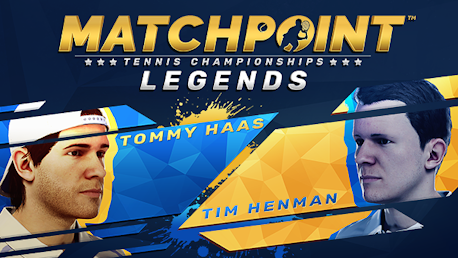
The Legends DLC includes two additional players, the retired Tennis legends Tommy Haas and Tim Henman.
Both become available as playable characters in both single and multiplayer modes.

Matchpoint - Tennis Championships © 2022 Kalypso Media Group GmbH. Matchpoint is a registered trademark of Kalypso Media Group GmbH.
Published by Kalypso Media Group GmbH. Developed by Torus Games Pty Ltd.
All stadiums, venues, tournaments, player names, player photographs, appearances, outfits, brands, trademarks and logos are the property of their respective owners. All rights reserved
FREQUENTLY ASKED QUESTIONS
How does it work? Will I receive Matchpoint - Tennis Championships Legends DLC as a physical copy?
No, you will receive Matchpoint - Tennis Championships Legends DLC product key (Matchpoint - Tennis Championships Legends DLC CD Key), that you will receive by e-mail. Afterwards, you will need to use the Steam-platform to redeem your Matchpoint - Tennis Championships Legends DLC product key (Matchpoint - Tennis Championships Legends DLC CD Key), and you'll be ready to download, install and play Matchpoint - Tennis Championships Legends DLC. You will receive a step-by-step guide on how to do this along with your purchase. It's easy as can be!
Genre Simulation Sports Single-player Multi-player Online PvP Shared/Split Screen PvP Shared/Split Screen Cross-Platform Multiplayer Downloadable Content Steam Achievements Full controller support Remote Play Together Family Sharing
Publisher Kalypso Media
Platform PC
Language English French Italian German Spanish - Spain Polish Portuguese - Brazil Russian Simplified Chinese Japanese Arabic Czech Dutch Korean Norwegian Portuguese - Portugal Swedish Traditional Chinese
Release date 07-07-2022
System requirements Read moreNo customers reviews at the moment.