
 Contact
  Infocenter
  Login
Login  0 Product Products 0 Items
 No products
0 Product(s) for a total of: 0,00 €

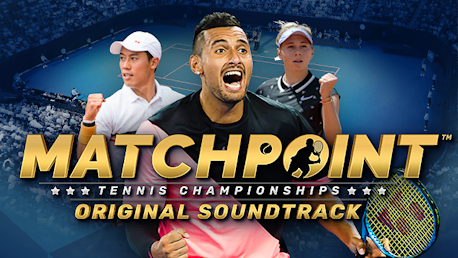
Matchpoint - Tennis Championships Soundtrack (PC)

The original soundtrack for Matchpoint - Tennis Championships features 31 songs composed by Samuel Villagomez, Wilhelm Méosphore Paquette-Horell, Felipe Elioenay Ferreira de Brito, Michael Kim-Sheng.
Enjoy 31 selected tracks from Matchpoint - Tennis Championships.
While you rally on the court - we swing on the dancefloor.
While you swing your racket - we rally support to your MATCHPOINT!
TRACK LISTING:
#Disc/Track Original Name Duration
1,1 Sour Pickle 01:58
1,2 2049 03:15
1,3 Afloat 02:52
1,4 City Lights 02:00
1,5 Lady In Black 02:00
1,6 Sunny Ride 02:20
1,7 Break Confusion 02:47
1,8 Game Point 03:17
1,9 Hope 02:24
1,10 Love Equal Zero 02:42
1,11 Vantage 00:28
1,12 Service Box 03:16
1,13 Advantage 01:49
1,14 Volley 00:24
1,15 Walkover 00:24
1,16 Jamming 03:08
1,17 Ace 00:25
1,18 Backhand Ballboys 03:04
1,19 Blinding Net 00:23
1,20 Challenge 00:28
1,21 Crosscourt Advantage 03:30
1,22 Drop Shot 02:59
1,23 Forgetful Umpire 02:54
1,24 Grand Slam 00:26
1,25 Groundstroke 00:22
1,26 Matchpoint 03:16
1,27 Set Point 00:26
1,28 Smooth Funkin' Road 03:25
1,29 Topspin Deuce 02:59
1,30 Unforced Error 03:27
1,31 Winner Stance 03:33
Matchpoint - Tennis Championships © 2022 Kalypso Media Group GmbH. Matchpoint is a registered trademark of Kalypso Media Group GmbH.
Published by Kalypso Media Group GmbH. Developed by Torus Games Pty Ltd.
All stadiums, venues, tournaments, player names, player photographs, appearances, outfits, brands, trademarks and logos are the property of their respective owners. All rights reserved.
How does it work? Will I receive Matchpoint - Tennis Championships Soundtrack as a physical copy?
No, you will receive Matchpoint - Tennis Championships Soundtrack product key (Matchpoint - Tennis Championships Soundtrack CD Key), that you will receive by e-mail. Afterwards, you will need to use the Steam-platform to redeem your Matchpoint - Tennis Championships Soundtrack product key (Matchpoint - Tennis Championships Soundtrack CD Key), and you'll be ready to download, install and play Matchpoint - Tennis Championships Soundtrack. You will receive a step-by-step guide on how to do this along with your purchase. It's easy as can be!
Minimum:
- Storage: 93 MB available space
- Storage (high-quality audio): Additional 1070 MB available space
No customers reviews at the moment.