
 Contact
  Infocenter
  Login
Login  0 Product Products 0 Items
 No products
0 Product(s) for a total of: 0,00 €

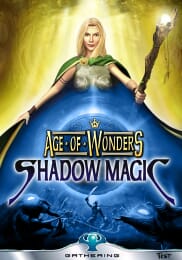
Age of Wonders Shadow Magic (PC)

Age of Wonders: Shadow Magic is the third entry in the award winning fantasy strategy series. This fan-favorite enhances the series' praised fusion of empire building, role-playing and tactical combat with the eerie Shadow World and battle with races never before seen, across new and diverse landscapes.
Combined with the option of creating a totally unique environment with the map generator and rewriting the history of this world through the enhanced campaign editor, you are ensured a constant stream of completely new game experiences.
Game Features:
- Features a full new Campaign with 5 episodes and 16 scenarios, with new characters and a new unfolding story. 19 stand-alone scenarios are included.
- Revisions to the original 12 Age of Wonders races. Each race has a new city upgrade, which comes with a new unit. For example, the Elves can build a Secret Forest, which cloaks the town and produces Treemen.
- Three entirely new races: The steppe roaming Nomads, the sinister Shadow Demons and the otherworldly Syrons.
- Use diplomacy with your rivals as you see fit. Lay siege to enemy cities with a careful balance of tactical guile and magical augmentations. You might just be destined to become the greatest Wizard-King of all time.
- Confront rivals in Multiplayer via a LAN or over the Internet for up to 8 players - options include Play by Email, Hot Seat, and the exciting Simultaneous-Turn System allowing all players to move at the same time!
- Design your very own scenarios, heroes, items, and even new Wizards with the enhanced scenario editor, challenging others to triumph over your creation.
- Use the random map generator to create new scenarios or multiplayer challenges at the click of one button!


Age of Wonders, the Age of Wonders logo, Triumph Studios and the Triumph Studios logo are trademarks of Triumph Studios B.V.. Copyright (c) 2010 Triumph Studios B.V.. All Rights Reserved.
All other trademarks and trade names are properties of their respective owners.
How does it work? Will I receive Age of Wonders Shadow Magic as a physical copy?
No, you will receive Age of Wonders Shadow Magic product key (Age of Wonders Shadow Magic CD Key), that you will receive by e-mail. Afterwards, you will need to use the Steam-platform to redeem your Age of Wonders Shadow Magic product key (Age of Wonders Shadow Magic CD Key), and you'll be ready to download, install and play Age of Wonders Shadow Magic. You will receive a step-by-step guide on how to do this along with your purchase. It's easy as can be!
Age of Wonders: Shadow Magic is the third entry in the award winning fantasy strategy series. This fan-favorite enhances the series' praised fusion of empire building, role-playing and tactical combat with the eerie Shadow World and battle with races never before seen, across new and diverse landscapes.
- OS: Windows 95 or later
- Processor: Intel Pentium 300+ CPU
- Memory: 64MB RAM
- Graphics: DirectX compatible graphic card
- Hard Drive: 500MB hard disk
No customers reviews at the moment.