 Contact
  Infocenter
  Login
Login Requires the base game Dead by Daylight on Steam in order to use Dead by Daylight - Chucky Chapter.

 0 Product Products 0 Items
 No products
Your basket contains
0 Product(s) for a total of: 0,00 €
0 Product(s) for a total of: 0,00 €

Product successfully added to your shopping cart
Quantity
Total
There are 0 items in your cart. There is 1 item in your cart.
Total products
Total shipping To be determined
Total
Dead by Daylight - Chucky Chapter (PC)
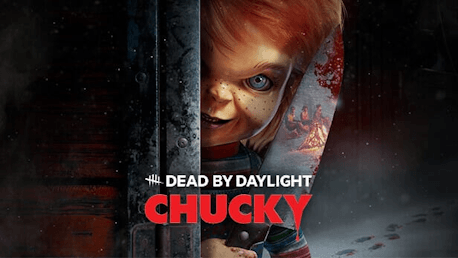
Dead by Daylight - Chucky Chapter (PC)

Dead by Daylight - Chucky Chapter CD key to be activated and downloaded via Steam. You will not be sent any physical items in the mail. You will receive a(n) Steam product key via e -mail.

PLEASE NOTE - THIS IS AN EXPANSION PACK
DEAD BY DAYLIGHT - CHUCKY CHAPTER GAME DESCRIPTION

Meet your new best friend ‘til the end. Dead by Daylight: Chucky brings an iconic horror legend into The Fog with a new Killer: The Good Guy - Chucky. Purchasing this add-on unlocks an exclusive Charm: Good Guys Box. 
CHUCKY
Viciously cruel with a cutting sense of humor, Chucky is a brutally effective killing machine. Using his diminutive frame to his advantage, he’ll pop up when Survivors least expect it, chasing them down and introducing them to his trusty weapons.
Chucky’s Power: Playtime's Over
The Good Guy is the first Killer in Dead by Daylight to feature a third-person camera.
Special Ability – Hidey-Ho Mode: When Chucky enters Hidey-Ho Mode, he becomes Undetectable and generates Map-wide footfalls, disorienting Survivors. Though Hidey-Ho mode can be entered at any time, it does have a cooldown.
Special Ability – Scamper: While in Hidey-Ho Mode, Chucky can Scamper under a downed Pallet or through a Window, allowing him to quickly gain ground.
Special Ability – Slice & Dice: While in Hidey-Ho Mode, Chucky can sprint and lunge forward to Slice & Dice Survivors. This attack can be held, but Chucky will be unable to do anything else during this time. If a Survivor tries to Vault a Window or Pallet while you’re charging a Slice & Dice attack, Chucky can quickly chain into a Scamper.
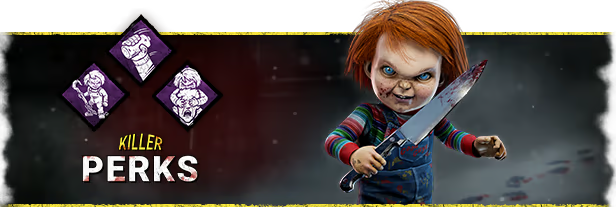
Chucky comes with 3 new perks.
Hex: Two Can Play
When a Survivor Stuns or Blinds you a number of times, a Dull Totem becomes a Hex Totem. When that Hex is active, Survivors who stun or blind you are Blinded for 4 seconds. The Hex effects persist as long as the related Hex Totem is standing.
Friends ‘Til the End
You become Obsessed with one Survivor. When you Hook a Survivor that is not the Obsession, the Obsession becomes Exposed and reveals their Aura for a brief duration. If you Hook the Obsession, a random Survivor will scream, reveal their position, and become the Obsession.
Batteries Included
When within the vicinity of a completed Generator, gain Haste. The movement speed boost lingers for a brief duration after you leave the Generator’s vicinity.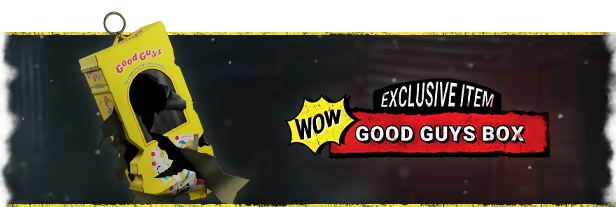
EXCLUSIVE CHAPTER ITEM: GOOD GUYS BOX
The Chucky Chapter includes an exclusive item, the Good Guys Box Charm, only available as part of the DLC. Please note that this item cannot be purchased separately.
His name is Charles Lee Ray. Chucky to his friends... You’ll be his friend ‘til the end, right?


Chucky Franchise © 2023-2024 Universal City Studios LLC. Seed of Chucky © Focus Features LLC. Chucky © Universal Content Productions LLC. All Rights Reserved.
© 2015-2024 and BEHAVIOUR, DEAD BY DAYLIGHT and other related trademarks and logos belong to Behaviour Interactive Inc. All rights reserved.
FREQUENTLY ASKED QUESTIONS
How does it work? Will I receive Dead by Daylight - Chucky Chapter as a physical copy?
No, you will receive Dead by Daylight - Chucky Chapter product key (Dead by Daylight - Chucky Chapter CD Key), that you will receive by e-mail. Afterwards, you will need to use the Steam-platform to redeem your Dead by Daylight - Chucky Chapter product key (Dead by Daylight - Chucky Chapter CD Key), and you'll be ready to download, install and play Dead by Daylight - Chucky Chapter. You will receive a step-by-step guide on how to do this along with your purchase. It's easy as can be!
Meet your new best friend ‘til the end. Dead by Daylight: Chucky brings an iconic horror legend into The Fog with a new Killer: The Good Guy - Chucky. Purchasing this add-on unlocks an exclusive Charm: Good Guys Box.
Genre Action Multi-player Online PvP Co-op Online Co-op Cross-Platform Multiplayer Downloadable Content Steam Achievements Full controller support Steam Trading Cards Steam Cloud Remote Play on Phone Remote Play on Tablet Remote Play on TV Family Sharing
Publisher Behaviour Interactive Inc.
PEGI-rating 
Developer Behaviour Interactive Inc.
Platform PC
Language English French Italian German Spanish - Spain Russian Simplified Chinese Portuguese - Brazil Thai Traditional Chinese Japanese Korean Polish Spanish - Latin America Turkish
Release date 28-11-2023
System requirements Read moreNo customers reviews at the moment.