 Contact
  Infocenter
  Login
Login Requires the base game MY HERO ACADEMIA: All’s Justice on Steam in order to use MY HERO ACADEMIA: All’s Justice - 20 Costumes Pack.

 0 Product Products 0 Items
 No products
Your basket contains
0 Product(s) for a total of: 0,00 €
0 Product(s) for a total of: 0,00 €

Product successfully added to your shopping cart
Quantity
Total
There are 0 items in your cart. There is 1 item in your cart.
Total products
Total shipping To be determined
Total
MY HERO ACADEMIA: All’s Justice - 20 Costumes Pack (PC)
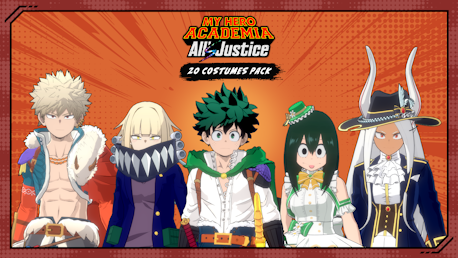
MY HERO ACADEMIA: All’s Justice - 20 Costumes Pack (PC)

MY HERO ACADEMIA: All’s Justice - 20 Costumes Pack CD key to be activated and downloaded via Steam. You will not be sent any physical items in the mail. You will receive a(n) Steam product key via e -mail.

PLEASE NOTE - THIS IS AN EXPANSION PACK
MY HERO ACADEMIA: ALL’S JUSTICE - 20 COSTUMES PACK GAME DESCRIPTION
Get 20 unique looks with this exciting Costume Pack—perfect for customizing favorite characters and standing out in every battle!
The 20 Costumes Pack includes:
- U.A. Quest Costume Pack (10 costumes) for:
- Izuku Midoriya (One For All)
- Katsuki Bakugo
- Ochako Uraraka
- Shoto Todoroki
- Tenya Iida
- Denki Kaminari
- Eijiro Kirishima
- Shota Aizawa
- Endeavor
- Hawks
- 1-A Idol Costume Pack (6 costumes) for:
- Ochako Uraraka
- Tsuyu Asui
- Kyoka Jiro
- Momo Yaoyorozu
- Mina Ashido
- Toru Hagakure
- Opera Costume Pack (2 costumes) for:
- Mirko
- Lady Nagant
- School Uniform for:
- Himiko Toga
- Hero Costume for:
- Lady Nagant
*This product also includes content sold separately. Please take care to avoid duplicate purchases.


Legal Information
©︎ KH/S, MP
©Bandai Namco Entertainment Inc.
FREQUENTLY ASKED QUESTIONS
How does it work? Will I receive MY HERO ACADEMIA: All’s Justice - 20 Costumes Pack as a physical copy?
No, you will receive MY HERO ACADEMIA: All’s Justice - 20 Costumes Pack product key (MY HERO ACADEMIA: All’s Justice - 20 Costumes Pack CD Key), that you will receive by e-mail. Afterwards, you will need to use the Steam-platform to redeem your MY HERO ACADEMIA: All’s Justice - 20 Costumes Pack product key (MY HERO ACADEMIA: All’s Justice - 20 Costumes Pack CD Key), and you'll be ready to download, install and play MY HERO ACADEMIA: All’s Justice - 20 Costumes Pack. You will receive a step-by-step guide on how to do this along with your purchase. It's easy as can be!
Get 20 unique looks with this exciting Costume Pack—perfect for customizing favorite characters and standing out in every battle!
Genre Action Single-player Multi-player Downloadable Content Steam Achievements Steam Cloud Stats Family Sharing
Publisher Bandai Namco Entertainment Inc.
Developer Byking Inc.
Platform PC
Release date 06-02-2026
System requirements PCMinimum:
- Requires a 64-bit processor and operating system
Recommended:
- Requires a 64-bit processor and operating system
No customers reviews at the moment.