 Contact
  Infocenter
  Login
Login Requires the base game Crusader Kings II on Steam in order to use Crusader Kings II: Sunset Invasion.

 0 Product Products 0 Items
 No products
Your basket contains
0 Product(s) for a total of: 0,00 €
0 Product(s) for a total of: 0,00 €

Product successfully added to your shopping cart
Quantity
Total
There are 0 items in your cart. There is 1 item in your cart.
Total products
Total shipping To be determined
Total
Crusader Kings II: Sunset Invasion (PC)
Crusader Kings II: Sunset Invasion (PC)

Crusader Kings II: Sunset Invasion CD key to be activated and downloaded via Steam. You will not be sent any physical items in the mail. You will receive a(n) Steam product key via e -mail.

PLEASE NOTE - THIS IS AN EXPANSION PACK
CRUSADER KINGS II: SUNSET INVASION GAME DESCRIPTION
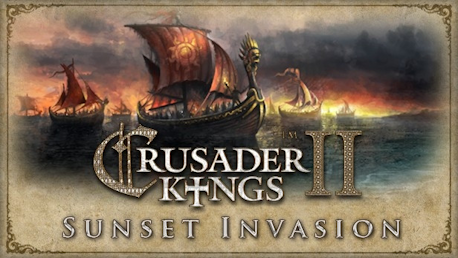
It is the late 13th century and Europe is still reeling from the all-conquering Mongol Hordes. Just as the Lords of the West breathe a sigh of relief, another threat looms on the horizon. Strange ships bearing winged serpents and grinning skulls, symbols never before seen in the known world, have been sighted all along the Atlantic coast. As the sun sets on the shores of Morocco, Portugal and Ireland, the largest fleet that has ever set sail approaches land, ready to invade in the name of blood thirsty gods...
Crusader Kings II: Sunset Invasion is the third DLC expansion for the critically praised strategy/RPG Crusader Kings II. This fantasy scenario marks Paradox Development Studios first departure from history. Hearing of Europe from travelling Northmen, the blood drenched Aztec Civilization has risen early and now spread like a virulent plague. Prepare to defend all you hold dear against the Sunset Invasion!
Crusader Kings II explores one of the defining periods in world history in an experience crafted by Paradox Development Studio, masters of Grand Strategy. Medieval Europe is brought to life in this epic game of knights, schemes, and thrones.
Main features:
- A new invading threat arrives at a random point in the mid to late game
- Unique new portraits, on-map shields and units for the great Mesoamerican Menace
- Cower in fear of the Aztec gods: New Aztec culture and religion
- Human Sacrifice! When a province is lost, no one is safe from the threat of losing their hearts on the obsidian altars
- Survive the terrible disease brought by the pagan oppressors with a new plague from across the Ocean

© 2012 Paradox Interactive™. Trademarks belong to their respective owners. All rights reserved.
FREQUENTLY ASKED QUESTIONS
How does it work? Will I receive Crusader Kings II: Sunset Invasion as a physical copy?
No, you will receive Crusader Kings II: Sunset Invasion product key (Crusader Kings II: Sunset Invasion CD Key), that you will receive by e-mail. Afterwards, you will need to use the Steam-platform to redeem your Crusader Kings II: Sunset Invasion product key (Crusader Kings II: Sunset Invasion CD Key), and you'll be ready to download, install and play Crusader Kings II: Sunset Invasion. You will receive a step-by-step guide on how to do this along with your purchase. It's easy as can be!
Publisher Paradox Interactive
Developer Paradox Development Studio
Release date 15-11-2012
System requirements Read moreNo customers reviews at the moment.