 Contact
  Infocenter
  Login
Login Requires the base game Crusader Kings II on Steam in order to use Crusader Kings II: Sons of Abraham.

 0 Product Products 0 Items
 No products
Your basket contains
0 Product(s) for a total of: 0,00 €
0 Product(s) for a total of: 0,00 €

Product successfully added to your shopping cart
Quantity
Total
There are 0 items in your cart. There is 1 item in your cart.
Total products
Total shipping To be determined
Total
Crusader Kings II: Sons of Abraham (PC)
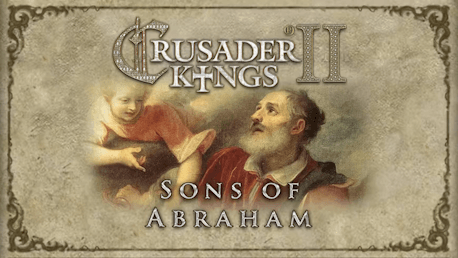
Crusader Kings II: Sons of Abraham (PC)

Crusader Kings II: Sons of Abraham CD key to be activated and downloaded via Steam. You will not be sent any physical items in the mail. You will receive a(n) Steam product key via e -mail.
PLEASE NOTE - THIS IS AN EXPANSION PACK
CRUSADER KINGS II: SONS OF ABRAHAM GAME DESCRIPTION
Crusader Kings II: Sons of Abraham is the fifth expansion for the critically praised strategy/RPG. Gameplay focuses on the Abrahamic religions; Christianity, Islam and Judaism.
Get your bishops appointed cardinals and tap the might of the Papacy, borrow money from the Knights Templar and send troublesome relatives off to live out their days in a monastery. Sons of Abraham also introduces the Jewish religion and allows you to recreate the Kingdom of Israel and rebuild the Temple in Jerusalem.
The expansion for the critically praised strategy/RPG Crusader Kings II explores one of the defining periods in world history in an experience crafted by Paradox Development Studio, the masters of Grand Strategy. Medieval Europe is brought to life in this epic game of knights, schemes, and thrones.
Main features:
- Control the Papacy through the College of Cardinals
- Ask the Pope for money and favors
- Play as a Jewish lord and restore the kingdom of Israel
- Interact with the Holy Orders and see their influence grow
- Pick sides in Islam as a rationalist Mutazili or an opposing Ashari
- Retire troublesome courtiers to a monastery
- Go on a pilgrimage to one of the holy places
- Experience hundreds of new religious events
Read More: http://www.crusaderkings.com/
Paradox Interactive, CRUSADER KINGS® Copyright© [2013] Paradox Interactive AB All rights reserved.
Powered by Clausewitz 2.0
FREQUENTLY ASKED QUESTIONS
How does it work? Will I receive Crusader Kings II: Sons of Abraham as a physical copy?
No, you will receive Crusader Kings II: Sons of Abraham product key (Crusader Kings II: Sons of Abraham CD Key), that you will receive by e-mail. Afterwards, you will need to use the Steam-platform to redeem your Crusader Kings II: Sons of Abraham product key (Crusader Kings II: Sons of Abraham CD Key), and you'll be ready to download, install and play Crusader Kings II: Sons of Abraham. You will receive a step-by-step guide on how to do this along with your purchase. It's easy as can be!
Genre RPG Simulation Strategy Single-player Multi-player Cross-Platform Multiplayer Downloadable Content Steam Trading Cards
Publisher Paradox Interactive
Developer Paradox Development Studio
System requirements Read moreNo customers reviews at the moment.