 Contact
  Infocenter
  Login
Login Requires the base game Crusader Kings II on Steam in order to use Crusader Kings II: Songs of India.

 0 Product Products 0 Items
 No products
Your basket contains
0 Product(s) for a total of: 0,00 €
0 Product(s) for a total of: 0,00 €

Product successfully added to your shopping cart
Quantity
Total
There are 0 items in your cart. There is 1 item in your cart.
Total products
Total shipping To be determined
Total
Crusader Kings II: Songs of India (PC)
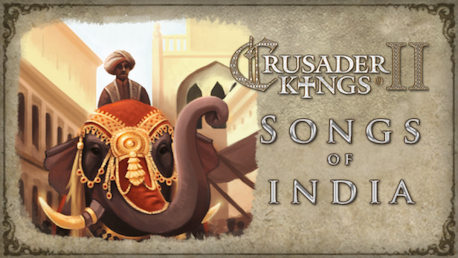
Crusader Kings II: Songs of India (PC)

Crusader Kings II: Songs of India CD key to be activated and downloaded via Steam. You will not be sent any physical items in the mail. You will receive a(n) Steam product key via e -mail.

PLEASE NOTE - THIS IS AN EXPANSION PACK
CRUSADER KINGS II: SONGS OF INDIA GAME DESCRIPTION
Crusader Kings II: Songs of India contains three new songs, totaling over 10 minutes, created by the talented composer Andreas Waldetoft.
These grand songs run while playing as Indian characters to enhance the players experience and to enrichen the atmosphere of the game.
Andreas Waldetoft has been working on Paradox Development Studio games since Hearts of Iron II and Europa Universalis III and has composed the music for the award winning titles Crusader Kings II and Europa Universalis IV.
Paradox Interactive, CRUSADER KINGS® Copyright© [2013] Paradox Interactive AB All rights reserved.
Powered by Clausewitz 2.0
FREQUENTLY ASKED QUESTIONS
How does it work? Will I receive Crusader Kings II: Songs of India as a physical copy?
No, you will receive Crusader Kings II: Songs of India product key (Crusader Kings II: Songs of India CD Key), that you will receive by e-mail. Afterwards, you will need to use the Steam-platform to redeem your Crusader Kings II: Songs of India product key (Crusader Kings II: Songs of India CD Key), and you'll be ready to download, install and play Crusader Kings II: Songs of India. You will receive a step-by-step guide on how to do this along with your purchase. It's easy as can be!
Publisher Paradox Interactive
Developer Paradox Development Studio
Release date 25-03-2014
System requirements Read moreNo customers reviews at the moment.