 Contact
  Infocenter
  Login
Login Requires the base game Hearts of Iron III on Steam in order to use Hearts of Iron III: Axis Minor Vehicle Pack.

 0 Product Products 0 Items
 No products
Your basket contains
0 Product(s) for a total of: 0,00 €
0 Product(s) for a total of: 0,00 €

Product successfully added to your shopping cart
Quantity
Total
There are 0 items in your cart. There is 1 item in your cart.
Total products
Total shipping To be determined
Total
Hearts of Iron III: Axis Minor Vehicle Pack (PC)
Hearts of Iron III: Axis Minor Vehicle Pack (PC)

Hearts of Iron III: Axis Minor Vehicle Pack CD key to be activated and downloaded via Steam. You will not be sent any physical items in the mail. You will receive a(n) Steam product key via e -mail.

PLEASE NOTE - THIS IS AN EXPANSION PACK
HEARTS OF IRON III: AXIS MINOR VEHICLE PACK GAME DESCRIPTION
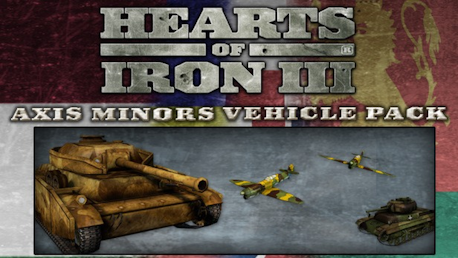
Enhance your Hearts of Iron III experience with the Axis Minors Vehicle Pack. This pack contains 28 new skins for 12 vehicles to be used by the Axis Minor nations in World War II. Included in this pack are vehicles for Hungaria, Bulgaria, Romania and Slovakia. These range from the Italian designed Carro Veloce 33 through the Hungarian Turan I to late-war German Panther tanks.


© 2009 Paradox Interactive AB. Hearts of Iron III is a trademark of Paradox Interactive AB. All rights reserved.
Powered by Clausewitz 1.0
FREQUENTLY ASKED QUESTIONS
How does it work? Will I receive Hearts of Iron III: Axis Minor Vehicle Pack as a physical copy?
No, you will receive Hearts of Iron III: Axis Minor Vehicle Pack product key (Hearts of Iron III: Axis Minor Vehicle Pack CD Key), that you will receive by e-mail. Afterwards, you will need to use the Steam-platform to redeem your Hearts of Iron III: Axis Minor Vehicle Pack product key (Hearts of Iron III: Axis Minor Vehicle Pack CD Key), and you'll be ready to download, install and play Hearts of Iron III: Axis Minor Vehicle Pack. You will receive a step-by-step guide on how to do this along with your purchase. It's easy as can be!
Publisher Paradox Interactive
PEGI-rating 
Developer Paradox Development Studio
Platform PC
Release date 07-08-2009
System requirements Read moreNo customers reviews at the moment.