 Contact
  Infocenter
  Login
Login Requires the base game Crusader Kings II on Steam in order to use Crusader Kings II: Charlemagne.

 0 Product Products 0 Items
 No products
Your basket contains
0 Product(s) for a total of: 0,00 €
0 Product(s) for a total of: 0,00 €

Product successfully added to your shopping cart
Quantity
Total
There are 0 items in your cart. There is 1 item in your cart.
Total products
Total shipping To be determined
Total
Crusader Kings II: Charlemagne (PC)
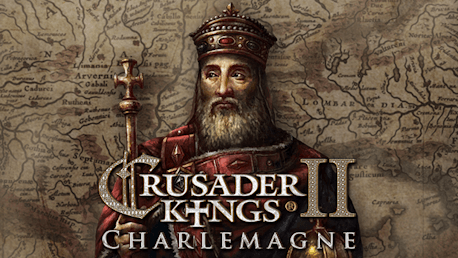
Crusader Kings II: Charlemagne (PC)

Crusader Kings II: Charlemagne CD key to be activated and downloaded via Steam. You will not be sent any physical items in the mail. You will receive a(n) Steam product key via e -mail.

PLEASE NOTE - THIS IS AN EXPANSION PACK
CRUSADER KINGS II: CHARLEMAGNE GAME DESCRIPTION
Crusader Kings II: Charlemagne is the seventh expansion for the much praised strategy/RPG Crusader Kings II and introduces the gamer to an absorbing story of conquests of Charlemagne.
This expansion moves the game back almost a 100 years to 769 AD and will offer a unique new story driven narrative about the rise of Charlemagne and The Holy Roman Empire. It’s more of what you’ve come to know and love from Paradox Development Studios.
Crusader Kings II explores one of the defining periods in world history in an experience crafted by the masters of Strategy where medieval times is brought to life in this epic game of knights, schemes, and thrones...
Main features:
- New Earlier bookmark, 769, almost 100 more years of Crusader Kings II
- Special story event series for Charlemagne
- Annual Chronicle in the style of the Saxon chronicle
- Custom Kingdoms and Empires, create a new title from a lower-tier title, can customize flag and name.
- Regency overhaul
Read More: http://www.crusaderkings.com
© Paradox Interactive. Trademarks belong to their respective owners. All rights reserved.
FREQUENTLY ASKED QUESTIONS
How does it work? Will I receive Crusader Kings II: Charlemagne as a physical copy?
No, you will receive Crusader Kings II: Charlemagne product key (Crusader Kings II: Charlemagne CD Key), that you will receive by e-mail. Afterwards, you will need to use the Steam-platform to redeem your Crusader Kings II: Charlemagne product key (Crusader Kings II: Charlemagne CD Key), and you'll be ready to download, install and play Crusader Kings II: Charlemagne. You will receive a step-by-step guide on how to do this along with your purchase. It's easy as can be!
Publisher Paradox Interactive
Developer Paradox Development Studio
Release date 14-10-2014
System requirements Read moreNo customers reviews at the moment.