 Contact
  Infocenter
  Login
Login Requires the base game Crusader Kings II on Steam in order to use Crusader Kings II: Conclave.

 0 Product Products 0 Items
 No products
Your basket contains
0 Product(s) for a total of: 0,00 €
0 Product(s) for a total of: 0,00 €

Product successfully added to your shopping cart
Quantity
Total
There are 0 items in your cart. There is 1 item in your cart.
Total products
Total shipping To be determined
Total
Crusader Kings II: Conclave (PC)
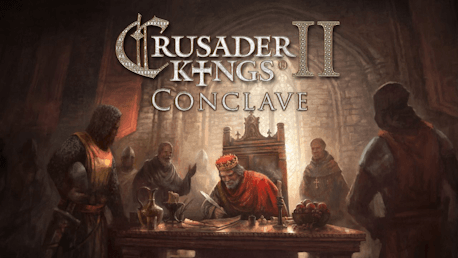
Crusader Kings II: Conclave (PC)

Crusader Kings II: Conclave CD key to be activated and downloaded via Steam. You will not be sent any physical items in the mail. You will receive a(n) Steam product key via e -mail.

PLEASE NOTE - THIS IS AN EXPANSION PACK
CRUSADER KINGS II: CONCLAVE GAME DESCRIPTION
Conclave, the latest major expansion for Crusader Kings II, will give your vassals some bite to go along with your bark, as the council that governs your realm will now demand some say in how you rule. Powerful dukes, regardless of competence, will require a seat at the table, and those left on the outside will be more likely to plot against you.
Keep your council happy, and the mighty vassals will resist the pull of faction and civil war. Dismiss their interests, though, and you may find yourself trying to hold together a council at war with itself.
Balance councilor skill and power to keep your dynasty safe and strong. Ignore powerful underlings at your peril, or simply buy their loyalty with favors. Conclave makes the royal council a force unto itself.
Main features:
- Councils can now vote on changes to realm laws – or you can try to limit their power and influence
- Revised education system for royal children, with new traits and events designed for childhood
- New diplomatic system that prioritizes marital alliances and non-aggression pacts, as well as the possibility of coalitions
- Improved military combat model with a greater emphasis on morale, as well as new rules for mercenary companies
Crusader Kings II appreciates the subtlety of court intrigue. Conclave will give you new avenues to test that skill.
Paradox Interactive, CRUSADER KINGS® Copyright© [2013] Paradox Interactive AB All rights reserved.
Powered by Clausewitz 2.0
FREQUENTLY ASKED QUESTIONS
How does it work? Will I receive Crusader Kings II: Conclave as a physical copy?
No, you will receive Crusader Kings II: Conclave product key (Crusader Kings II: Conclave CD Key), that you will receive by e-mail. Afterwards, you will need to use the Steam-platform to redeem your Crusader Kings II: Conclave product key (Crusader Kings II: Conclave CD Key), and you'll be ready to download, install and play Crusader Kings II: Conclave. You will receive a step-by-step guide on how to do this along with your purchase. It's easy as can be!
Publisher Paradox Interactive
Developer Paradox Development Studio
Release date 02-02-2016
System requirements Read moreNo customers reviews at the moment.