 Contact
  Infocenter
  Login
Login Requires the base game Crusader Kings II on Steam in order to use Crusader Kings II: The Reaper's Due.

 0 Product Products 0 Items
 No products
Your basket contains
0 Product(s) for a total of: 0,00 €
0 Product(s) for a total of: 0,00 €

Product successfully added to your shopping cart
Quantity
Total
There are 0 items in your cart. There is 1 item in your cart.
Total products
Total shipping To be determined
Total
Crusader Kings II: The Reaper's Due (PC)
Crusader Kings II: The Reaper's Due (PC)

Crusader Kings II: The Reaper's Due CD key to be activated and downloaded via Steam. You will not be sent any physical items in the mail. You will receive a(n) Steam product key via e -mail.

PLEASE NOTE - THIS IS AN EXPANSION PACK
CRUSADER KINGS II: THE REAPER'S DUE GAME DESCRIPTION
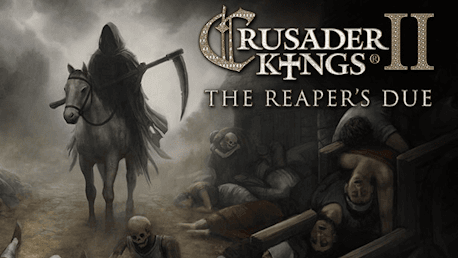
Little remains of those settlements where the Black Death has passed through. Hasty burials make a mockery of the sacraments and set a feast for the crows. Once prosperous provinces have been laid waste, and the lord of the land hides away – secluded in his hilltop fortress, hoping the plague will pass him by. Wiser princes took precautions, and didn’t waste the revenues from more prosperous years.
But, in time, all must pay The Reaper’s Due.
The Reaper’s Due expansion for Crusader Kings II highlights the historic importance of epidemics and disease in the Middle Ages, especially the Black Death – an outbreak of the bubonic plague that may have killed a third of the population of Europe.
The Reaper’s Due introduces many new systems and features to what is already the richest medieval tapestry in gaming:
- Epidemics: Diseases may spread from province to province along trade and sea lanes, lowering your income and available soldiers
- Prosperity and Royal Focus: Well managed provinces in peaceful kingdoms will pay huge dividends in gold and manpower
- Hospitals and Royal Physicians: Prevent the outbreak of disease in your kingdom, and make sure your courtiers have access to the latest in Dark Ages Medical Science
- Royal Seclusion: Shield yourself from the diseases tearing your kingdom apart, even if it means ignoring the plight of your people
- New Event Chains: Is the new epidemic the End of Days? Is there someone else to blame for these horrors? Are there supernatural origins or solutions to the world’s problems?


Paradox Interactive, CRUSADER KINGS® Copyright© [2013] Paradox Interactive AB All rights reserved.
Powered by Clausewitz 2.0
FREQUENTLY ASKED QUESTIONS
How does it work? Will I receive Crusader Kings II: The Reaper's Due as a physical copy?
No, you will receive Crusader Kings II: The Reaper's Due product key (Crusader Kings II: The Reaper's Due CD Key), that you will receive by e-mail. Afterwards, you will need to use the Steam-platform to redeem your Crusader Kings II: The Reaper's Due product key (Crusader Kings II: The Reaper's Due CD Key), and you'll be ready to download, install and play Crusader Kings II: The Reaper's Due. You will receive a step-by-step guide on how to do this along with your purchase. It's easy as can be!
Publisher Paradox Interactive
Developer Paradox Development Studio
Release date 25-08-2016
System requirements Read moreNo customers reviews at the moment.