
 Contact
  Infocenter
  Login
Login  0 Product Products 0 Items
 No products
0 Product(s) for a total of: 0,00 €

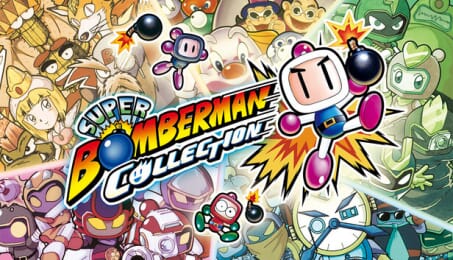
SUPER BOMBERMAN COLLECTION (PC)

Party battle game "SUPER BOMBERMAN" is now available as a collection featuring a total of 7 titles with 12 versions across JP, EUR and USA, including the long-awaited localised versions of the unreleased SUPER BOMBERMAN 4 and 5!
Including Boss Rush mode to time attack against all the bosses in each title, support functions, libraries and more!
【Included Titles】
① SUPER BOMBERMAN [Japanese Version / US Version / European Version]
Carat Diamond, the evil power-hungry tyrant, and scientist Dr. Mook! Defeat the robot army they command and thwart their ambitions!
② SUPER BOMBERMAN 2 [Japanese Version / US Version / European Version]
Our Bomberman has been captured by the sudden appearance of the vicious Bomber Quintet. For the sake of Earth's peace and his own destiny, he must confront them!
③ SUPER BOMBERMAN 3 [Japanese Version / European Version]
The evil Professor Bagura has revived the vicious Bomber Quintet, once defeated by Bomberman, and has begun his march towards cosmic conquest.
④ SUPER BOMBERMAN 4 [Japanese Version (English localised version available)]
Bomberman has been transported to different eras by the Four Bomber Kings. What is their purpose? And what is the mysterious entity lurking in the shadows?
⑤ SUPER BOMBERMAN 5 [Japanese Version (English localised version available)]
A mysterious man calling himself the Emperor of another world, ‘Terrorin’. He has freed eight ‘Vicious Bombers’ from prison and begun an invasion with them as his subordinates.
⑥ Bomberman [Japanese Version]
The commemorative work that laid the foundation for the series. Conquer all 50 stages!
⑦ Bomberman II [Japanese Version]
The sequel to Bomberman. The work that implemented versus play.
【Support Features, Helpful Functions and New Modes】
‘Boss Rush’
A challenge mode where you battle bosses from each game consecutively in a time attack!
‘Save/Load Anytime’
Save or load your game at any point during gameplay
‘Rewind Function’
A handy feature allowing you to rewind and retry at any point
‘Screen Filtering Function’
Adjust resolution or apply screen filters to play with your preferred visual settings
‘BOMB Radio’
Listen to original soundtracks from each title. You can also create your own playlists
‘Gallery’
Browse art works and development materials. Over 200 items in total!


©Konami Digital Entertainment
How does it work? Will I receive SUPER BOMBERMAN COLLECTION as a physical copy?
No, you will receive SUPER BOMBERMAN COLLECTION product key (SUPER BOMBERMAN COLLECTION CD Key), that you will receive by e-mail. Afterwards, you will need to use the Steam-platform to redeem your SUPER BOMBERMAN COLLECTION product key (SUPER BOMBERMAN COLLECTION CD Key), and you'll be ready to download, install and play SUPER BOMBERMAN COLLECTION. You will receive a step-by-step guide on how to do this along with your purchase. It's easy as can be!
Party battle game "SUPER BOMBERMAN" is now available as a collection featuring a total of 7 titles with 12 versions across JP, EUR and USA, including the long-awaited localised versions of the unreleased SUPER BOMBERMAN 4 and 5! Including Boss Rush mode, support functions, libraries and more!

No customers reviews at the moment.