 Contact
  Infocenter
  Login
Login Requires the base game Neva on Steam in order to use Neva: Prologue.

 0 Product Products 0 Items
 No products
Your basket contains
0 Product(s) for a total of: 0,00 €
0 Product(s) for a total of: 0,00 €

Product successfully added to your shopping cart
Quantity
Total
There are 0 items in your cart. There is 1 item in your cart.
Total products
Total shipping To be determined
Total
Neva: Prologue (PC)
Neva: Prologue (PC)

Neva: Prologue CD key to be activated and downloaded via Steam. You will not be sent any physical items in the mail. You will receive a(n) Steam product key via e -mail.

PLEASE NOTE - THIS IS AN EXPANSION PACK
NEVA: PROLOGUE GAME DESCRIPTION
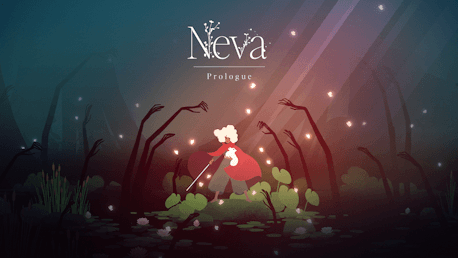
Follow Alba as she chases a trail of white butterflies deep into the corrupted swamps, only to discover a frightened wolf cub, lost and alone. Determined to save her, Alba must earn the young wolf's trust and guide her through the blighted wilderness. Together, they will face new enemies, endure perilous trials, and confront a monstrous force that threatens to tear them apart.
Designed to be experienced after completing the main game, Neva: Prologue offers a deeper challenge and rich narrative for returning players. The expansion introduces three new locations, each featuring unique gameplay mechanics, alongside new challenges, enemies, and intense boss encounters.

Copyright 2023 Nomada Studio. All Rights Reserved.
FREQUENTLY ASKED QUESTIONS
How does it work? Will I receive Neva: Prologue as a physical copy?
No, you will receive Neva: Prologue product key (Neva: Prologue CD Key), that you will receive by e-mail. Afterwards, you will need to use the Steam-platform to redeem your Neva: Prologue product key (Neva: Prologue CD Key), and you'll be ready to download, install and play Neva: Prologue. You will receive a step-by-step guide on how to do this along with your purchase. It's easy as can be!
Set years before the events of the main game, Neva: Prologue tells the story of how Alba and Neva first met.
Genre Action Adventure Indie Single-player Downloadable Content Steam Achievements Full controller support Steam Trading Cards Camera Comfort Color Alternatives Custom Volume Controls Adjustable Difficulty Playable without Timed Input Steam Cloud Family Sharing
Publisher Devolver Digital
Developer Nomada Studio
Platform PC
Language English French German Spanish - Spain Japanese Korean Portuguese - Brazil Russian Simplified Chinese Traditional Chinese Italian Spanish - Latin America Turkish Catalan
Release date 19-02-2026
System requirements Read moreNo customers reviews at the moment.