
 Contact
  Infocenter
  Login
Login  0 Product Products 0 Items
 No products
0 Product(s) for a total of: 0,00 €

Restaurats (PC)

Dress to Impress
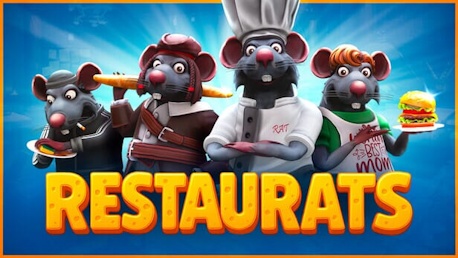
Dress to Impress — even if you’re a rat! With tons of customization options, you can create the weirdest, coolest, or most fabulous rat chef you've ever dreamed of.
Roguelike cooking?!
You heard that right. Each session is a fresh, chaotic adventure packed with crazy dishes, unexpected twists, and outrageous bosses!
Wild Baguette Duels!
Pick up your bread weapon and prove who's boss in the kitchen — or kindly escort the angry guests... with force.
Throw Food Around
Time’s ticking, and the guests are hungry! Dropped it on the floor? Come on — we’re rats, what did you expect?

How does it work? Will I receive Restaurats as a physical copy?
No, you will receive Restaurats product key (Restaurats CD Key), that you will receive by e-mail. Afterwards, you will need to use the Steam-platform to redeem your Restaurats product key (Restaurats CD Key), and you'll be ready to download, install and play Restaurats. You will receive a step-by-step guide on how to do this along with your purchase. It's easy as can be!
Lead a medieval restaurant with a team of rats like you! Cook the food, throw it at the guests, wipe the drinks under the skeletons! Become a legendary rat chef, proving to orcs and vampires that the most delicious bloody meat is served in your restaurant!
No customers reviews at the moment.