
 Contact
  Infocenter
  Login
Login  0 Product Products 0 Items
 No products
0 Product(s) for a total of: 0,00 €

Mini Worlds Dioramas (PC)

About the Game
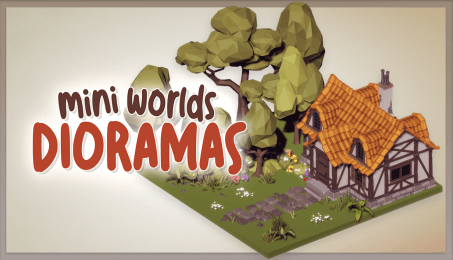
What do you need after a tough day? A cup of tea, a warm blanket, and a session of diorama building. No goals to achieve, no resources to micromanage, just a stress-free, relaxing experience of assembling a set piece as you want it to be. Kick back and relax, enjoying an ambient soundtrack focused on bringing out the creator in you, and let the day's stress simply fade away. This is Mini Worlds Dioramas: A chill, relaxing experience for everyone who wants a little peace in their lives.
Create Without Constraints
No timers. No objectives. Just a quiet moment to build something beautiful—one click at a time. With intuitive drag-and-drop tools, placing props, rotating objects, and crafting detailed scenes feels effortless from the very first build. Whether you’re layering foliage or dropping in a spaceship, the experience is smooth, accessible, and endlessly rewarding.
Build Your Little World
Whether you're piecing together a tranquil forest, a cozy garden, a bustling city corner, or a far-off sci-fi outpost, every scene begins with a spark of imagination. Use themed kits that span nature, modern city life, the Wild West, medieval fantasy, and more to bring your tiny world to life., Medieval towers, urban skylines, and peaceful woodland paths are all just a few clicks away.
Breathe Life into Your Dioramas
Make your world feel truly alive. Add falling rain, drifting fog, snowy skies, or rustling leaves with a click. Populate scenes with charming characters, curious animals, and animated props—from glowing lanterns and birds in flight to moving vehicles and glowing sci-fi gear. Each figure comes to life with natural motion, looping animations, and smooth performance, even in your most detailed builds.
Let the Ambience Set the Mood
From rustling leaves to distant city hums, each themed set includes its own ambient soundtrack to match the mood of your diorama. Whether you’re placing a single flower or finishing a starship, the sound design draws you in without distraction, just enough to make your world feel alive.
Take a Stroll Through Your World
Glide effortlessly through your world using free-flight camera controls or choose from a variety of visual presets. Every angle tells a new story.
Save the Moment
Use the built-in image capture system to take high-resolution screenshots. Whether you're sharing online or saving a peaceful scene just for yourself, your diorama is yours to keep and explore.

© Paidotribo & Freedom Games - All Rights Reserved
How does it work? Will I receive Mini Worlds Dioramas as a physical copy?
No, you will receive Mini Worlds Dioramas product key (Mini Worlds Dioramas CD Key), that you will receive by e-mail. Afterwards, you will need to use the Steam-platform to redeem your Mini Worlds Dioramas product key (Mini Worlds Dioramas CD Key), and you'll be ready to download, install and play Mini Worlds Dioramas. You will receive a step-by-step guide on how to do this along with your purchase. It's easy as can be!
A peaceful sandbox for building tiny worlds. Mini Worlds Dioramas is your digital Zen garden—no goals, no stress, just pure creativity. Mix and match cozy props from different genres to craft your own calming dioramas.
No customers reviews at the moment.