 Contact
  Infocenter
  Login
Login Requires the base game Train Valley 2 on Steam in order to use Train Valley 2: Workshop Gems - Amethyst.

 0 Product Products 0 Items
 No products
Your basket contains
0 Product(s) for a total of: 0,00 €
0 Product(s) for a total of: 0,00 €

Product successfully added to your shopping cart
Quantity
Total
There are 0 items in your cart. There is 1 item in your cart.
Total products
Total shipping To be determined
Total
Train Valley 2: Workshop Gems - Amethyst (PC)
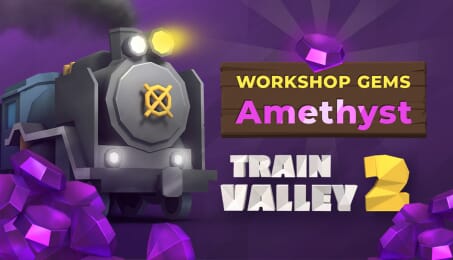
Train Valley 2: Workshop Gems - Amethyst (PC)
This game is on sale; sale ends in:

Train Valley 2: Workshop Gems - Amethyst CD key to be activated and downloaded via Steam. You will not be sent any physical items in the mail. You will receive a(n) Steam product key via e -mail.

PLEASE NOTE - THIS IS AN EXPANSION PACK
TRAIN VALLEY 2: WORKSHOP GEMS - AMETHYST GAME DESCRIPTION
The Train Valley 2 community is a real gem! Our players are full of creativity and outstanding ideas that help us and inspire us to move forward with the game.
Our railway network is growing fast, and we're close to reaching 3,000 community-made levels. We've picked some of the most-played weekly and monthly featured entries, balanced and polished them, and created a series of packs called Train Valley 2 GEMs. We are happy to present the fourth pack in the series: Train Valley 2: Workshop Gems - Amethyst.
50 rebuilt, reworked, and rebalanced levels
Clever combinations of different mechanics and train ages
Tons of challenges and brain-teasing objectives
An optional "Skip Level" button in case you want to try the next level and go back to that really tricky one later.

FREQUENTLY ASKED QUESTIONS
How does it work? Will I receive Train Valley 2: Workshop Gems - Amethyst as a physical copy?
No, you will receive Train Valley 2: Workshop Gems - Amethyst product key (Train Valley 2: Workshop Gems - Amethyst CD Key), that you will receive by e-mail. Afterwards, you will need to use the Steam-platform to redeem your Train Valley 2: Workshop Gems - Amethyst product key (Train Valley 2: Workshop Gems - Amethyst CD Key), and you'll be ready to download, install and play Train Valley 2: Workshop Gems - Amethyst. You will receive a step-by-step guide on how to do this along with your purchase. It's easy as can be!
We are happy to present the fourth pack in the series: Train Valley 2: Workshop Gems - Amethyst.
Genre Adventure Casual Indie Simulation Strategy Single-player Downloadable Content Steam Achievements Full controller support Steam Trading Cards Steam Workshop Custom Volume Controls Mouse Only Option Touch Only Option Steam Cloud Includes level editor Remote Play on TV Family Sharing
Publisher META Publishing
Language English French Italian German Spanish - Spain Japanese Polish Portuguese - Brazil Russian Simplified Chinese Korean Turkish Czech Swedish
Release date 15-04-2026
System requirements Read moreNo customers reviews at the moment.