
 Contact
  Infocenter
  Login
Login  0 Product Products 0 Items
 No products
0 Product(s) for a total of: 0,00 €

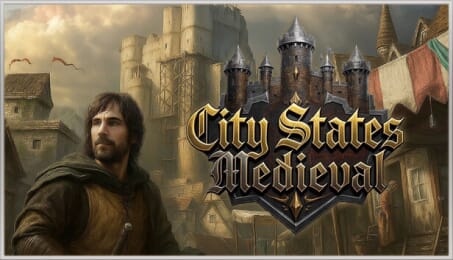
City States: Medieval (PC)


Early Access Game
Get instant access and start playing; get involved with this game as it develops.
Powers divide the continent, growing in power and wealth, city-states rise to prominence through mastery of commerce and trade. These mighty merchant republics rise above their peers from Tripoli to Granada and from Novgorod to Genoa. You are the leader of one of these republics and you will shape the history of one such city-state, bringing it to glory and power - or watch it disappear into the currents of history.
City States: Medieval is a bold continuation of Reverie World Studios' long-standing strategy series, introducing completely new mechanics focused not on continent-spanning empires, but surviving between them as a city-state. The dynamic, unpredictable 12th century Europe and Middle East offers new challenges, while the completely new hero mechanics demand a completely fresh approach to strategy from newcomers and veterans alike.
Build a Mighty City
The city is the heart of your mercantile empire. Plan your expansion and advance accordingly, growing your city through economy, military, faith, trading, and building chains. Do not neglect defense: You are leading a city-state surrounded by powerful kingdoms, who may decide to plunder the city's wealth. Fortifications will be key to defending your city, along with an all-new siege system combining real-time tactical combat with tower defense mechanics.
Chart Trade Routes
Trade is the key to the city's survival. Establish new trading outposts across the known world to gain access to twelve precious commodities, from wool and linen to spices and silk. With every trade route the opportunities expand, bringing with it more wealth and prominence. Each route also makes the city a more attractive target for rival powers, demanding a strategic approach and navigating the treacherous world of politics and warfare of medieval times.
Command through Your Hero
In the age of great men shaping history, your leader is no different. Growing in experience and skill alongside the city, they define how you can react, enabling real-time battles and defense of the city, boosting city growth and construction, or carrying out complex intrigues in foreign courts. Every decision is a calculated risk: Do you send him on expeditions to distant lands to find new markets, leaving the city more vulnerable? Or do you focus on strengthening the home, risking that opportunities will slip away?

How does it work? Will I receive City States: Medieval as a physical copy?
No, you will receive City States: Medieval product key (City States: Medieval CD Key), that you will receive by e-mail. Afterwards, you will need to use the Steam-platform to redeem your City States: Medieval product key (City States: Medieval CD Key), and you'll be ready to download, install and play City States: Medieval. You will receive a step-by-step guide on how to do this along with your purchase. It's easy as can be!
You are the leader of a city-state in high medieval Europe. Expand your city through deep city-building systems, build a trade empire across the known world, and lead men to war to defend trade routes in a high-stakes struggle of global strategy and brutal tower defense warfare.
No customers reviews at the moment.