 Contact
  Infocenter
  Login
Login Requires the base game Commandos: Origins on Steam in order to use Commandos: Origins - No Man Left Behind.

 0 Product Products 0 Items
 No products
Your basket contains
0 Product(s) for a total of: 0,00 €
0 Product(s) for a total of: 0,00 €

Product successfully added to your shopping cart
Quantity
Total
There are 0 items in your cart. There is 1 item in your cart.
Total products
Total shipping To be determined
Total
Commandos: Origins - No Man Left Behind (PC)
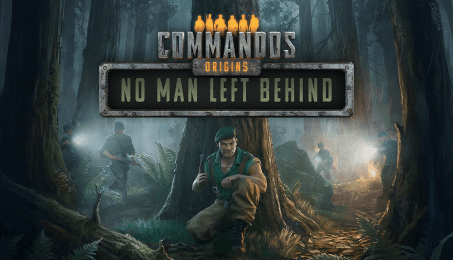
Commandos: Origins - No Man Left Behind (PC)

Commandos: Origins - No Man Left Behind CD key to be activated and downloaded via Steam. You will not be sent any physical items in the mail. You will receive a(n) Steam product key via e -mail.

PLEASE NOTE - THIS IS AN EXPANSION PACK
COMMANDOS: ORIGINS - NO MAN LEFT BEHIND GAME DESCRIPTION
Missing in Action – a story yet untold. With Commandos: Origins – No Man Left Behind, you step back in time and discover the secret mission that led to the Green Beret being captured in occupied France.
What begins as a covert mission to exfiltrate an informant with critical intelligence on a new German superweapon, quickly escalates into a thrilling hunt and an unfortunate capture. When the informant suddenly disappears, O’Hara follows the clues to find him and the secret weapon, but instead discovers a group of prisoners. He takes the risk to rescue them and ends up imprisoned himself.
That’s when the Spy, the Sapper and the Sniper learn about their missing comrade and head to France to uncover what happened. Guide them as they infiltrate the German military compound, free the Green Beret, and finish the mission to destroy the prototype of a weapon that would otherwise cost countless innocent lives. The success of this mission is now in your hands.
The missing link: In Commandos: Origins DLC ‘No Man Left Behind’, you finally discover the events that led to the Green Beret’s capture, triggering the search for him and the rescue mission of the main campaign.
Embark on four new missions to uncover crucial information leading to the prototype of a new German superweapon, being built in the seclusion of the French mountains.
Your search for both information and your captured companion will take you across a huge, picturesque map of occupied French territory in the Auvergne, spanning nighttime forest operations and heavily guarded military structures scattered across the mountainous countryside.
Encounter new characters, including the informant and fellow prisoners, and prepare to face a new enemy unit: the radio operator, who will call for reinforcements and trigger a global alarm if his line of communication is not cut before he is eliminated.


Commandos: Origins © 2026 Kalypso Media Group GmbH. Developed by Claymore Game Studios. Published by Kalypso Media Group GmbH. Commandos: Origins is a trademark of Kalypso Media Group GmbH. All rights reserved. All other logos, copyrights and trademarks are property of their respective owner.
FREQUENTLY ASKED QUESTIONS
How does it work? Will I receive Commandos: Origins - No Man Left Behind as a physical copy?
No, you will receive Commandos: Origins - No Man Left Behind product key (Commandos: Origins - No Man Left Behind CD Key), that you will receive by e-mail. Afterwards, you will need to use the Steam-platform to redeem your Commandos: Origins - No Man Left Behind product key (Commandos: Origins - No Man Left Behind CD Key), and you'll be ready to download, install and play Commandos: Origins - No Man Left Behind. You will receive a step-by-step guide on how to do this along with your purchase. It's easy as can be!
Missing in Action – a story yet untold! In the 2nd DLC for Commandos: Origins – ‘No Man Left Behind’, you will discover four new missions diving into the events that led to the Green Beret's capture in occupied France and his eventual rescue.
Genre Strategy Single-player Multi-player Co-op Online Co-op LAN Co-op Shared/Split Screen Co-op Shared/Split Screen Cross-Platform Multiplayer Downloadable Content Steam Achievements Full controller support Steam Trading Cards Color Alternatives Custom Volume Controls Adjustable Difficulty Playable without Timed Input Stereo Sound Steam Cloud Family Sharing
Publisher Kalypso Media
PEGI-rating 
Developer Claymore Game Studios
Platform PC
Language English French Italian German Spanish - Spain Arabic Japanese Polish Portuguese - Brazil Russian Simplified Chinese Traditional Chinese Turkish Korean
Release date 28-04-2026
System requirements PCMinimum:
- Requires a 64-bit processor and operating system
Recommended:
- Requires a 64-bit processor and operating system
No customers reviews at the moment.