
 Contact
  Infocenter
  Login
Login  0 Product Products 0 Items
 No products
0 Product(s) for a total of: 0,00 €

Enter the Chronosphere (PC)


Early Access Game
Get instant access and start playing; get involved with this game as it develops.
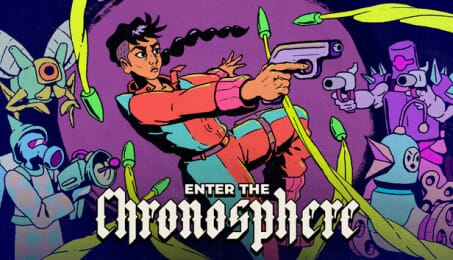
Enter the Chronosphere is a roguelike shooter that combines turn-based tactics and real time action. Follow the crew of the Starseer as they combat a galactic threat: giant spheres that are consuming reality itself. Fight to the center of procedurally generated chronospheres, unlocking new characters, alien weapons and powerful synergies.
Time is on your side
A bullet hell shooter that gives you time to plan your next move.
Between each turn, bullets hang in mid-air and enemies are frozen. When you move, so does everything else. Alternate between bold action and careful planning. Dodge through a field of bullets, reload your shotgun, knock enemies into pits, call an artillery strike, or heal up just before you get hit in the face.
Exotic equipment
Mix weapons, gear and gadgets from different worlds to create powerful builds. Incinerate enemies from afar with sweeping lasers, fire your shotgun around a corner with bouncing bullets, modify your chainsaw to implant alien eggs, and then detonate your hatched minions like living bombs.
They eat ‘em, you beat ‘em
Every chronosphere contains biomes from the worlds it has consumed, each with its own enemies, objectives and gear. Choose a chronosphere to run. Retrieve coordinates from a bug-infested hellsphere, unlock a shiny new six-shooter in the wild west, or take on the smallest sphere (because you’re really meant to be working).
The rules of physics melt inside a chronosphere: anticipate distortions, mutations, and plunderable paradoxes. Do you stabilize your wounds, or your reality? The deeper you go, the weirder it gets.
Aboard the Starseer
From the “comfort” of their starship home, our heroes pursue the galaxy’s greatest threat: The mysterious chronospheres. Unlock new characters with alien skills and stories. Complete missions to learn new abilities or to expand the game with new threats and challenges. Conquer special chronospheres for massive rewards. Listen to the crew argue over whose turn it is to do the dishes.

Enter the Chronosphere © Effort Star. Published by Joystick Ventures, Gamirror Games and Beep Japan Inc. All rights reserved. All trademarks are property of their respective owners.
How does it work? Will I receive Enter the Chronosphere as a physical copy?
No, you will receive Enter the Chronosphere product key (Enter the Chronosphere CD Key), that you will receive by e-mail. Afterwards, you will need to use the Steam-platform to redeem your Enter the Chronosphere product key (Enter the Chronosphere CD Key), and you'll be ready to download, install and play Enter the Chronosphere. You will receive a step-by-step guide on how to do this along with your purchase. It's easy as can be!
Everything moves when you do in Enter the Chronosphere, the turn-based bullet hell roguelike. Each chronosphere is procedurally generated with defenders and biomes from the worlds it has consumed. Break in, find exotic weaponry and gadgets, outsmart hostile aliens, and fight your way to the core.
No customers reviews at the moment.