 Contact
  Infocenter
  Login
Login Requires the base game Warhammer 40,000: Rogue Trader on Steam in order to use Warhammer 40,000: Rogue Trader - The Infinite Museion.

 0 Product Products 0 Items
 No products
Your basket contains
0 Product(s) for a total of: 0,00 €
0 Product(s) for a total of: 0,00 €

Product successfully added to your shopping cart
Quantity
Total
There are 0 items in your cart. There is 1 item in your cart.
Total products
Total shipping To be determined
Total
Warhammer 40,000: Rogue Trader - The Infinite Museion (PC)
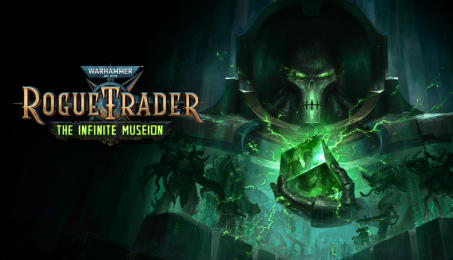
Warhammer 40,000: Rogue Trader - The Infinite Museion (PC)

Warhammer 40,000: Rogue Trader - The Infinite Museion CD key to be activated and downloaded via Steam. You will not be sent any physical items in the mail. You will receive a(n) Steam product key via e -mail.

PLEASE NOTE - THIS IS AN EXPANSION PACK
WARHAMMER 40,000: ROGUE TRADER - THE INFINITE MUSEION GAME DESCRIPTION
“The Infinite Museion” is the third story expansion for Warhammer 40,000: Rogue Trader, drawing you into the iconic vault of Trazyn the Infinite. Pursue rare artefacts, enhance yourself with augmentations, and choose whether to serve the designs of one of the galaxy’s most infamous collectors or oppose him.
Explore the Vault:
Follow a trail of hidden agendas and unsettling discoveries that gradually reveal a larger mystery spanning the Koronus Expanse. What at first seems like a series of isolated expeditions soon sheds new light on the past of the von Valancius dynasty. As you uncover the truth about your ancestors, your strange ally, and the artefacts you recover, you will be drawn into a fateful encounter with Trazyn the Infinite and forced to make a choice that could reshape your destiny.
A new companion:
A devout servant of the Omnissiah and Tech-Priest Manipulus with a shadowed past. A capable support specialist with unique buffs and technological abilities, he brings both battlefield utility and narrative tension to your retinue. The deeper you delve into his story, the more you must decide whether his loyalty can truly be trusted.
New augmentation mechanics:
Unlock a new augmentation system, allowing you to replace your damaged flesh with bionics. Improve resilience, alter tactical options, and experiment with increasingly dangerous modifications. As the story progresses, even more esoteric bionics become available.
Meet Trazyn the Infinite:
Trazyn the Infinite, the ancient Necron collector whose schemes span worlds, centuries, and civilisations, is no ordinary foe. With subtlety and cunning, he manipulates events from the shadows, treating people, battles, and entire histories as pieces in his collection. Whether you bargain with him, resist him, or attempt to outwit him, the encounter will leave its mark on you and your story.

FREQUENTLY ASKED QUESTIONS
How does it work? Will I receive Warhammer 40,000: Rogue Trader - The Infinite Museion as a physical copy?
No, you will receive Warhammer 40,000: Rogue Trader - The Infinite Museion product key (Warhammer 40,000: Rogue Trader - The Infinite Museion CD Key), that you will receive by e-mail. Afterwards, you will need to use the Steam-platform to redeem your Warhammer 40,000: Rogue Trader - The Infinite Museion product key (Warhammer 40,000: Rogue Trader - The Infinite Museion CD Key), and you'll be ready to download, install and play Warhammer 40,000: Rogue Trader - The Infinite Museion. You will receive a step-by-step guide on how to do this along with your purchase. It's easy as can be!
Delve into a secret vault curated by Trazyn the Infinite himself. Discover Trazyn’s obsession with the Von Valancius dynasty, and choose whether to disrupt or fulfill his plans.
Genre Adventure Indie RPG Strategy Single-player Multi-player Co-op Online Co-op Cross-Platform Multiplayer Downloadable Content Steam Achievements Steam Trading Cards Steam Workshop Adjustable Text Size Custom Volume Controls Mouse Only Option Save Anytime Stereo Sound Subtitle Options Surround Sound Partial Controller Support Steam Cloud Family Sharing
Publisher Owlcat Games
Platform PC
Release date 11-06-2026
System requirements No customers reviews at the moment.