 Contact
  Infocenter
  Login
Login Requires the base game Hearts of Iron IV on Steam in order to use Hearts of Iron IV: Thunders at Our Gates.

 0 Product Products 0 Items
 No products
Your basket contains
0 Product(s) for a total of: 0,00 €
0 Product(s) for a total of: 0,00 €

Product successfully added to your shopping cart
Quantity
Total
There are 0 items in your cart. There is 1 item in your cart.
Total products
Total shipping To be determined
Total
Hearts of Iron IV: Thunders at Our Gates (PC)
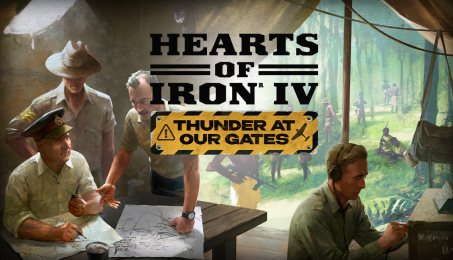
Hearts of Iron IV: Thunders at Our Gates (PC)

Hearts of Iron IV: Thunders at Our Gates CD key to be activated and downloaded via Steam. You will not be sent any physical items in the mail. You will receive a(n) Steam product key via e -mail.

PLEASE NOTE - THIS IS AN EXPANSION PACK
HEARTS OF IRON IV: THUNDERS AT OUR GATES GAME DESCRIPTION
Step into the heart of command in Thunder at Our Gates, a Theater Pack for Hearts of Iron IV. Expand on the art of organizing a campaign with new features such as military headquarters and navy captains, as well as unique new content for nations caught between rival empires; Australia, Siam and Indonesia.
Hearts of Iron IV: Thunder at Our Gates includes:
- Australia Focus Tree: Support your Allies across the world and hold fast as the last bastion against Japan in the Pacific, or make use of your unstable political climate to change your course entirely.
- Siam Focus Tree: Turn rival nations into pawns, exploit the great powers and carve out your own empire in Southeast Asia.
- Indonesia Focus Tree: Steer the course of Indonesia’s future; remain under Dutch rule, or seize the moment to fight for independence alone, or under a new patron.
- Military HQs: Deploy your generals where they matter. Wield local command and support your troops through synergies with updated command abilities, proximity, and new division design features.
- Ship Captains: Named captains lead your ships, where they earn skills and can be promoted to admirals to command your fleets


FREQUENTLY ASKED QUESTIONS
How does it work? Will I receive Hearts of Iron IV: Thunders at Our Gates as a physical copy?
No, you will receive Hearts of Iron IV: Thunders at Our Gates product key (Hearts of Iron IV: Thunders at Our Gates CD Key), that you will receive by e-mail. Afterwards, you will need to use the Steam-platform to redeem your Hearts of Iron IV: Thunders at Our Gates product key (Hearts of Iron IV: Thunders at Our Gates CD Key), and you'll be ready to download, install and play Hearts of Iron IV: Thunders at Our Gates. You will receive a step-by-step guide on how to do this along with your purchase. It's easy as can be!
Step into the heart of command in Thunder at Our Gates, a Theater Pack for Hearts of Iron IV; featuring new content for Australia, Siam, Indonesia and more.
Genre Simulation Strategy Single-player Multi-player Co-op Cross-Platform Multiplayer Downloadable Content Steam Achievements Steam Trading Cards Steam Workshop Steam Cloud Remote Play on Tablet Family Sharing
Publisher Paradox Interactive
PEGI-rating 
Developer Paradox Development Studio
Language English French German Polish Portuguese - Brazil Russian Spanish - Spain Japanese Simplified Chinese Korean
Release date 11-06-2026
System requirements Read moreNo customers reviews at the moment.