
 Contact
  Infocenter
  Login
Login  0 Product Products 0 Items
 No products
0 Product(s) for a total of: 0,00 €

The Bloodline (PC)

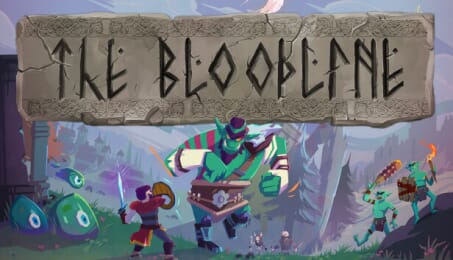
The Bloodline is a Open World Fantasy Action RPG where you take the role of a descendant of the Harbinger bloodline - a lineage gifted the power of foresight by an ancient god to protect Eudros from the Unforgiven. A legend that seemed faded in time… but your visions show The Unforgiven marching, the Harbinger defeated, and the land devastated.
A journey not written in stone, but in blood.
- The adventure is yours. Follow questlines and help the people of Eudros, or roam the world freely at your own pace, allowing organic opportunities to arise.
- Reform bonds between kingdoms, construct your village, and prepare the world for the return of The Unforgiven.
- Explore the world, join various guilds, hunt magical creatures or become a bard at the local tavern – the world is yours to enjoy and experience how you desire.
- Be rewarded by playing how you want – nearly every action you do has a level associated with it. From jumping, climbing and running to ragdolling, wall-running and swimming.
- Craft gadgets and equipment, catch rare fish, cook exotic dishes, brew potions, transform yourself into a beast…
- Plan your adventures by using your foresight – the ability to see events that will transpire in the near future. From meteor storms, goblin attacks and even ghostly pirate ships!
- A vast world to explore! There are different biomes with distinctive flora & fauna filled with impressive landmarks: blooming towns, magnificent castles, mysterious lakes, dangerous dungeons… and much more.
- Define your own play style! With over 500 skills to unlock and hundreds of different weapons and equipment at your disposal, your character is truly your own. Will you be a silent assassin, or a paladin adorned with plate mail? Or perhaps you’d rather do something more unique - a necromancer who uses martial arts, or an engineer who can transform into animals using druidic magic? The choice is yours entirely.
© 2023 Shieldbearer Studios and 505 Pulse S.R.L. Developed by Shieldbearer Studios. Published by 505 Pulse.
All other marks and trademarks are the property of their respective owners. All rights reserved.
How does it work? Will I receive The Bloodline as a physical copy?
No, you will receive The Bloodline product key (The Bloodline CD Key), that you will receive by e-mail. Afterwards, you will need to use the Steam-platform to redeem your The Bloodline product key (The Bloodline CD Key), and you'll be ready to download, install and play The Bloodline. You will receive a step-by-step guide on how to do this along with your purchase. It's easy as can be!
The Bloodline is a sandbox adventure RPG that lets you play your way. Reforge bonds between kingdoms, explore the wilds, craft and plan adventures and wield mighty weapons or magic as you prepare for what is to come…
No customers reviews at the moment.