 Contact
  Infocenter
  Login
Login Requires the base game LEGO® Batman™: Legacy of the Dark Knight on Steam in order to use LEGO® Batman™: Legacy of the Dark Knight Deluxe Edition Upgrade.

 0 Product Products 0 Items
 No products
Your basket contains
0 Product(s) for a total of: 0,00 €
0 Product(s) for a total of: 0,00 €

Product successfully added to your shopping cart
Quantity
Total
There are 0 items in your cart. There is 1 item in your cart.
Total products
Total shipping To be determined
Total
LEGO® Batman™: Legacy of the Dark Knight Deluxe Edition Upgrade (PC)
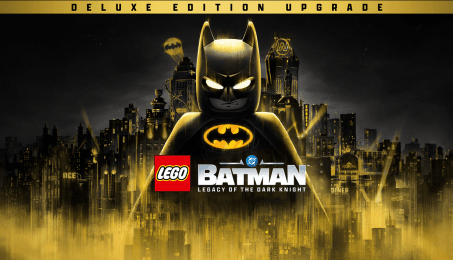
LEGO® Batman™: Legacy of the Dark Knight Deluxe Edition Upgrade (PC)
This game is on sale; sale ends in:

LEGO® Batman™: Legacy of the Dark Knight Deluxe Edition Upgrade CD key to be activated and downloaded via Steam. You will not be sent any physical items in the mail. You will receive a(n) Steam product key via e -mail.

PLEASE NOTE - THIS IS AN EXPANSION PACK
LEGO® BATMAN™: LEGACY OF THE DARK KNIGHT DELUXE EDITION UPGRADE GAME DESCRIPTION
The Deluxe Edition Upgrade is for existing owners of LEGO® Batman™: Legacy of the Dark Knight. Upgrade your experience and suit up with new gear, vehicles, and more, with the Deluxe Edition Upgrade.
Includes:
- Legacy Collection:
- 3 Themed Packs: Arkham Trilogy Pack, Batman Beyond Pack, Party Music Pack.
- Each Themed Pack includes 7 suits (1 for each playable character), 1 Batmobile, and a set of 5 Batcave customization props.
- Mayhem Collection:
- Includes new Story Mission and Mayhem Mode featuring The Joker and Harley Quinn, along with the villain-themed Sinister Pack.
- Break out of Arkham Asylum as new playable characters The Joker and Harley Quinn in an all-new Story Mission.
- Cause chaos on the streets of Gotham City in Mayhem Mode.
- Sinister Pack includes 7 suits (1 for each of the original playable characters), 1 Batmobile, and a set of 5 Batcave customization props.
*Mayhem Collection is a separate post-launch DLC releasing September 18, 2026 and will be included in the LEGO Batman: Legacy of the Dark Knight Deluxe Edition Upgrade (full base game required)


FREQUENTLY ASKED QUESTIONS
How does it work? Will I receive LEGO® Batman™: Legacy of the Dark Knight Deluxe Edition Upgrade as a physical copy?
No, you will receive LEGO® Batman™: Legacy of the Dark Knight Deluxe Edition Upgrade product key (LEGO® Batman™: Legacy of the Dark Knight Deluxe Edition Upgrade CD Key), that you will receive by e-mail. Afterwards, you will need to use the Steam-platform to redeem your LEGO® Batman™: Legacy of the Dark Knight Deluxe Edition Upgrade product key (LEGO® Batman™: Legacy of the Dark Knight Deluxe Edition Upgrade CD Key), and you'll be ready to download, install and play LEGO® Batman™: Legacy of the Dark Knight Deluxe Edition Upgrade. You will receive a step-by-step guide on how to do this along with your purchase. It's easy as can be!
Become the Dark Knight and battle Gotham City’s most infamous DC Super-Villains in an open-world action-adventure from TT Games, the award-winning studio behind LEGO® Star Wars™: The Skywalker Saga.
Genre Action Adventure Single-player Multi-player Co-op Shared/Split Screen Co-op Shared/Split Screen Downloadable Content Steam Achievements Full controller support Steam Trading Cards Gamepad Recommended DualShock Controller Support DualSense Controller Support Steam Cloud Remote Play on TV Remote Play Together HDR available Family Sharing
Publisher Warner Bros. Games
PEGI-rating 
Developer TT Games
Platform PC
Language English French Italian German Spanish - Spain Arabic Danish Dutch Japanese Korean Polish Portuguese - Brazil Russian Simplified Chinese Spanish - Latin America Traditional Chinese
Release date 22-05-2026
System requirements Read moreNo customers reviews at the moment.