
 Contact
  Infocenter
  Login
Login  0 Product Products 0 Items
 No products
0 Product(s) for a total of: 0,00 €

Farming Simulator 25: Beans & Alpacas Edition (PC/MAC)

Preorder
Release date: Tuesday 27 Oct, 2026 - 69 days left

27. October 2026
Be ready to play Farming Simulator 25: Beans & Alpacas Edition on release day! When you preorder, the payment will not be charged until the order has been delivered. Your product key will be sent on release day at the latest, but usually 1-2 days before.
PRE-ORDER NOW TO GET THE MacDon Pack FOR FREE!!!
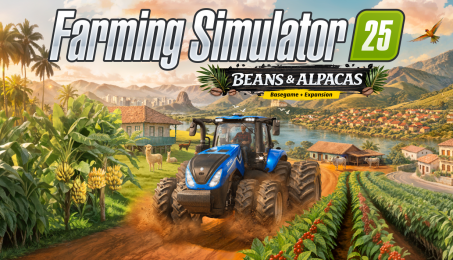
Farming Simulator 25: Beans & Alpacas Edition bundles both the acclaimed main game and the Beans & Alpacas Expansion. Enjoy 4 maps, 400+ machines, over 150 authentic brands, and new crops, animals, production chains and gameplay additions.
From Europe to North & South-America
Build a farm along winding rivers and historic grain elevators in North America, surrounded by ponds in Central Europe, in a lush East Asian landscape filled with rice paddies, or in Catuaí - a South America-inspired region where coffee plantations, red soil and dense greenery shape the land that’s the star of the Beans & Alpacas Expansion.
Expansion: Build Your Coffee Estate!
Cultivate coffee beans, raise alpacas and Brahman cows, and grow a warmer kind of farm life. Alpacas can be sheared and led, while wild animals like crocodiles and parrots bring more life to the environment. Create products like pigment and resin, repaint houses for the community, take on construction projects, discover collectibles and operate 25+ new machines from renowned brands, including newcomer Colombo Industries.


© 2024 GIANTS Software GmbH. Published and developed by GIANTS Software. Farming Simulator, GIANTS Software and its logos are trademarks or registered trademarks of GIANTS Software. All rights reserved. All manufacturers, agricultural machinery, agricultural equipment, names, brands and associated imagery featured in this game in some cases include trademarks and/or copyrighted materials of their respective owners. The agricultural machines and equipment in this game may be different from the actual machines in shapes, colours and performance. All other names, trademarks and logos are property of their respective owners.
How does it work? Will I receive Farming Simulator 25: Beans & Alpacas Edition as a physical copy?
No, you will receive Farming Simulator 25: Beans & Alpacas Edition product key (Farming Simulator 25: Beans & Alpacas Edition CD Key), that you will receive by e-mail. Afterwards, you will need to use the Steam-platform to redeem your Farming Simulator 25: Beans & Alpacas Edition product key (Farming Simulator 25: Beans & Alpacas Edition CD Key), and you'll be ready to download, install and play Farming Simulator 25: Beans & Alpacas Edition. You will receive a step-by-step guide on how to do this along with your purchase. It's easy as can be!
Farming Simulator 25: Beans & Alpacas Edition bundles the main game and Beans & Alpacas Expansion. Enjoy 4 maps, 400+ machines, aand 150+ real brands overall. Plus coffee beans, alpacas, Brahman cows, new production chains, construction projects and 25+ new machines from the expansion.

No customers reviews at the moment.