 Contact
  Infocenter
  Login
Login Requires the base game Farming Simulator 25 on Steam in order to use Farming Simulator 25: Plains & Prairies Pack.

 0 Product Products 0 Items
 No products
Your basket contains
0 Product(s) for a total of: 0,00 €
0 Product(s) for a total of: 0,00 €

Product successfully added to your shopping cart
Quantity
Total
There are 0 items in your cart. There is 1 item in your cart.
Total products
Total shipping To be determined
Total
Farming Simulator 25: Plains & Prairies Pack (PC)
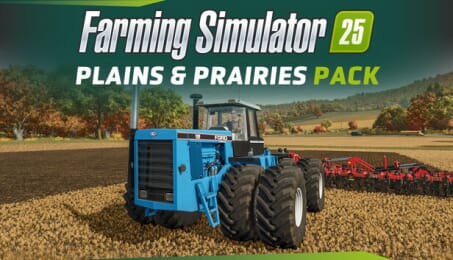
Farming Simulator 25: Plains & Prairies Pack (PC)

Farming Simulator 25: Plains & Prairies Pack CD key to be activated and downloaded via Steam. You will not be sent any physical items in the mail. You will receive a(n) Steam product key via e -mail.

PLEASE NOTE - THIS IS AN EXPANSION PACK
FARMING SIMULATOR 25: PLAINS & PRAIRIES PACK GAME DESCRIPTION
Welcome Ford to Farming Simulator – a pioneer of industrialization.
The Plains & Prairies Pack brings two classic Ford tractors to the game, alongside legendary machines like the Versatile 1080 “Big Roy”, the modern Fendt Rogator 900, and more.
3 New Brands & 21 Machines
With over 20 vehicles and implements spanning from cult classics like the Ford 976 & 1156 Versatile to modern innovations, you’ll farm the open plains and vast prairies in style. The Plains & Prairies Pack features three new brands Ford, GEA, and Trout River, as well as returning manufacturers Brandt, Fendt, International, Salford, Väderstad & Versatile.
Moving Covers, Lifting Axles!
As the fleet grows, so does the attention to detail: Pneumatic sprayers from Fendt and Salford let you spread solid fertilizer, realistic trailer covers roll over your stored crops, and working lift axles satisfy your hydraulic-loving heart as you maneuver the game's largest manure tanker. Together, these details add to the authenticity of virtual farming.
List of Machines
* Brandt - 2500 DXT
* Fendt - Rogator 900 Series
* Ford - 1156 Versatile
* Ford - 976 Versatile
* GEA - EL48-6D-4800
* GEA - EL48-8D-7900
* GEA - STR 447
* International - LT Series
* Salford - Independent Series 1260
* Salford - 9620 Air Boom Applicator
* Trout River Industries - Live Bottom Rear Lift (LB-RL)
* Väderstad - PD 1000
* Väderstad - Seed Hawk 84
* Väderstad - Tempo K 24
* Versatile - 1080 "Big Roy"
* Versatile - 1156
* Versatile - 976
* Versatile - DeltaTrack
* Versatile - MFWD
* Versatile - Nemesis
* Versatile - V7


© 2024 GIANTS Software GmbH. Published and developed by GIANTS Software. Farming Simulator, GIANTS Software and its logos are trademarks or registered trademarks of GIANTS Software. All rights reserved. All manufacturers, agricultural machinery, agricultural equipment, names, brands and associated imagery featured in this game in some cases include trademarks and/or copyrighted materials of their respective owners. The agricultural machines and equipment in this game may be different from the actual machines in shapes, colours and performance. All other names, trademarks and logos are property of their respective owners.
FREQUENTLY ASKED QUESTIONS
How does it work? Will I receive Farming Simulator 25: Plains & Prairies Pack as a physical copy?
No, you will receive Farming Simulator 25: Plains & Prairies Pack product key (Farming Simulator 25: Plains & Prairies Pack CD Key), that you will receive by e-mail. Afterwards, you will need to use the Steam-platform to redeem your Farming Simulator 25: Plains & Prairies Pack product key (Farming Simulator 25: Plains & Prairies Pack CD Key), and you'll be ready to download, install and play Farming Simulator 25: Plains & Prairies Pack. You will receive a step-by-step guide on how to do this along with your purchase. It's easy as can be!
Ford joins Farming Simulator! The pack contains 20+ machines by 9 brands, including classic Ford tractors and modern innovations.
Genre Simulation Single-player Multi-player Co-op Online Co-op Downloadable Content Steam Achievements Full controller support DualShock Controller Support Steam Cloud Family Sharing
Publisher Giants Software
PEGI-rating 
Developer Giants Software
Platform PC
Language English French Italian German Spanish - Spain Czech Danish Dutch Finnish Hungarian Japanese Korean Norwegian Polish Portuguese - Brazil Portuguese - Portugal Romanian Russian Simplified Chinese Spanish - Latin America Swedish Traditional Chinese Turkish Ukrainian Vietnamese Indonesian
Release date 03-06-2025
System requirements Read moreNo customers reviews at the moment.