
 Contact
  Infocenter
  Login
Login  0 Product Products 0 Items
 No products
0 Product(s) for a total of: 0,00 €

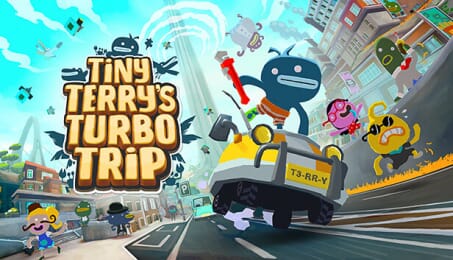
Tiny Terry's Turbo Trip

Step into Terry’s flip flops in this short and delightfully sweet adventure of self-discovery as he uncovers what it means to be an inhabitant of ✨Sprankelwater✨.
Key Features:
- Explore a densely packed, tiny open world town at any pace and in any way you like. Slow, fast, by foot, by car, by paraglider! It’s up to you.
- Uncover a wholesome story through hilarious interactions with weird Sprankelwaterians.
- Collect TURBO JUNK and upgrade the boost capacity of Terry’s very own car.
- Catch insects, dig holes, destroy cars, become rich, wear hats.
- Listen to a joyful and heart-warming soundtrack from the composer of Wuppo.

How does it work? Will I receive Tiny Terry's Turbo Trip as a physical copy?
No, you will receive Tiny Terry's Turbo Trip product key (Tiny Terry's Turbo Trip CD Key), that you will receive by e-mail. Afterwards, you will need to use the Steam-platform to redeem your Tiny Terry's Turbo Trip product key (Tiny Terry's Turbo Trip CD Key), and you'll be ready to download, install and play Tiny Terry's Turbo Trip. You will receive a step-by-step guide on how to do this along with your purchase. It's easy as can be!
Terry wants to launch himself into space using his new car. Doing something this cool and reckless will surely make him the talk of the town. Run, drive and glide through this small journey of big discoveries as Terry works towards achieving this goal.
No customers reviews at the moment.