
 Contact
  Infocenter
  Login
Login  0 Product Products 0 Items
 No products
0 Product(s) for a total of: 0,00 €

Moros Protocol

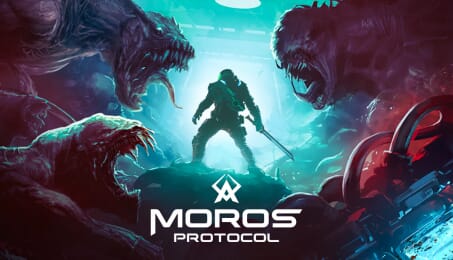
You wake up aboard The Orpheus, a derelict warship lost in deep space and crawling with horrors. No memory. Only the instinct to fight and a voice urging you forward. The ship shifts around you, the enemies never stop, and survival means battling through blood-soaked corridors to uncover what lies ahead.
Set in a haunting, low-poly world with crunchy pixel textures, Moros Protocol blends fast-paced combat of classic '90s and early 2000s FPS games, the unpredictability of genre-defining roguelites, and the challenge of Souls-like boss fights. Battle relentless enemies and towering nightmares in a brutal test of skill and willpower. With procedurally generated levels, evolving threats, and intense action, survival is never guaranteed.
The ship is a war zone. The enemy is endless. The odds are against you.
You may be outnumbered, but you are not outmatched.
TACTICAL FPS COMBAT
Moros Protocol combines relentless action with adaptability and customization. Shape your loadout and let the augments and weapons you find dictate your fighting style. And yes, you can kick your enemies.
ROGUELIKE PROGRESSION
Death is only the beginning. Learn, upgrade, and push further into the unknown. Each run is shaped by a combination of handcrafted environments and procedural generation. New layouts. New challenges to face. No two runs will feel the same.
UNIQUE CUSTOM RENDERER
A gritty, immersive world that blends retro aesthetics with modern rendering, creating a decayed sci-fi atmosphere. Dynamic lighting and eerie sound design heighten the tension as you explore the abandoned warship.
DROP-IN CO-OP
Team up with a friend for backup. Adapt and survive together as you battle through the nightmare. Experience the full game side by side, sharing the fight against the enemy.
Message from Pixel Reign: Moros Protocol has been a passion project that started back in 2010 as a concept, which we have been working on for the last 5 years to bring it to life. We are really excited to finally be able to share our vision with you and hope you enjoy it as much as we've enjoyed making it.
Moros Protocol is inspired by some amazing games: DOOM, System Shock, Binding of Isaac, and many other amazing retro-futuristic first-person shooters. Check them out too if you have not already!


How does it work? Will I receive Moros Protocol as a physical copy?
No, you will receive Moros Protocol product key (Moros Protocol CD Key), that you will receive by e-mail. Afterwards, you will need to use the Steam-platform to redeem your Moros Protocol product key (Moros Protocol CD Key), and you'll be ready to download, install and play Moros Protocol. You will receive a step-by-step guide on how to do this along with your purchase. It's easy as can be!
Face the darkness in Moros Protocol, a pixel-painted sci-fi FPS roguelite. Survive the nightmare alone or with allies as you navigate the decaying warship, stalked by horrors and guided by a voice you don’t recognize. Adapt, upgrade, and push forward. You may be outnumbered, but not outmatched.
No customers reviews at the moment.