
 Contact
  Infocenter
  Login
Login  0 Product Products 0 Items
 No products
0 Product(s) for a total of: 0,00 €

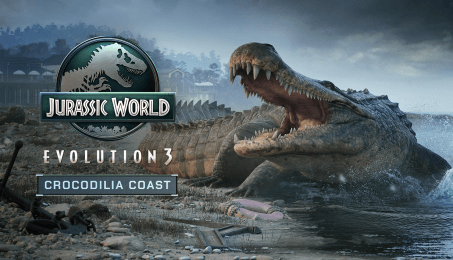
Jurassic World Evolution 3: Crocodilia Coast

Featuring a bite force more powerful than the Tyrannosaurus rex, prepare to welcome the first crocodile to the Jurassic World Evolution game franchise – the Deinosuchus.
Thrill your guests with 5 prehistoric species; the Deinosuchus, Postosuchus, Desmatosuchus, Styxosaurus, and Shonisaurus! Each species comes as a complete family unit and features bespoke interactions, and the first ever bioluminescent skins for the Styxosaurus juvenile. Build your own weathered coastal locations and expand your waterside operations with detailed scenery, signage, props, and Blueprints for your guests to enjoy.
Deinosuchus
This giant prehistoric crocodilian is the first of its kind in the Jurassic World Evolution game franchise. The Deinosuchus is a semi-aquatic predator that lurks in the water to ambush prey with a fierce deathroll attack. It’s long, broad snout, muscular tail, and quadrupedal walking style makes it versatile on land and in the water. The Deinosuchus is a must for your new waterfront enclosures!
Postosuchus
This ancient cousin of modern crocodilians shares many common physical traits such as a robust skull, armoured skin, and a deadly jaw of dagger-like teeth. The bi-pedal family unit needs a mix of arid and wetland environments to thrive in your parks. Be careful it doesn’t escape; it tends to chase guests and hold them down with their front forelimbs.
Desmatosuchus
Bring some calm to your park with a herbivorous distant relative of modern crocodiles. Stacked with defensive adaptions, the Desmatosuchus is effective at deterring potential predators with two large shoulder spikes, and a carapace formed with two rows of bony scutes.
Styxosaurus
Named after the mythical River Styx, this long-necked plesiosaur family unit introduces the first ever bioluminescent skins for a juvenile species in Jurassic World Evolution 3. Complementing the male variant with new distinctive patterns and colours, the juvenile also features a set of unique interactions making it a perfect addition for your waterfront inspired lagoon builds!
Shonisaurus
Enchant your lagoons with the Shonisaurus! This huge ichthyosaur from the Late Triassic period brings a full family unit to your parks. The all-new juvenile model has been carefully designed to maintain that classic rounded design with interactions tailored to its unique circular size.
Waterview Scenery
From waterfront huts to boardwalk blueprints, the Jurassic World Evolution 3: Crocodilia Coast pack has everything you need to quickly build a stunning water’s edge area for your guests to relax; until a dinosaur escape that is! Or take advantage of a full wall kit, props, lights and signage to create a custom windswept area around your new species enclosures and lagoons!


How does it work? Will I receive Jurassic World Evolution 3: Crocodilia Coast as a physical copy?
No, you will receive Jurassic World Evolution 3: Crocodilia Coast product key (Jurassic World Evolution 3: Crocodilia Coast CD Key), that you will receive by e-mail. Afterwards, you will need to use the Steam-platform to redeem your Jurassic World Evolution 3: Crocodilia Coast product key (Jurassic World Evolution 3: Crocodilia Coast CD Key), and you'll be ready to download, install and play Jurassic World Evolution 3: Crocodilia Coast. You will receive a step-by-step guide on how to do this along with your purchase. It's easy as can be!
Snap up Jurassic World Evolution 3: Crocodilia Coast pack to get your hands on 5 family units and a collection of coastal themed scenery pieces to expand your waterside operations!
No customers reviews at the moment.