 Contact
  Infocenter
  login
login Requires the base game Battle Brothers on Steam in order to use Battle Brothers - Warriors of the North.

 0 商品 商品 0 Vare
 商品がありません
Your basket contains
0 Product(s) for a total of: 0,00 €
0 Product(s) for a total of: 0,00 €

カートに商品が追加されました。
数量
合計
カートに商品が 0 点入っています。 カートに商品が 1 点入っています。
小計
送料 後に決定されます
合計
Battle Brothers - Warriors of the North (PC)
Battle Brothers - Warriors of the North (PC)

Battle Brothers - Warriors of the North CD key to be activated and downloaded via Steam. You will not be sent any physical items in the mail. You will receive a(n) Steam product key via e -mail.
Additional content!
BATTLE BROTHERS - WARRIORS OF THE NORTH GAME DESCRIPTION
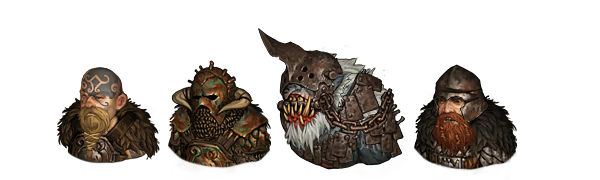
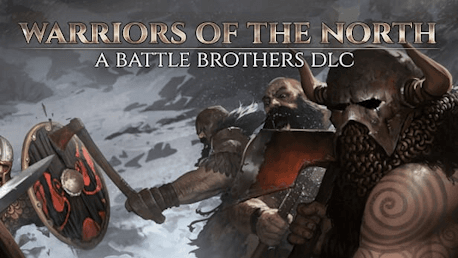
The 'Warriors of the North' DLC for Battle Brothers expands the game with a more distinct northern region, as well as different starting scenarios to pick for your mercenary company. Face an entirely new faction of barbarians in battle, wear new viking and rus themed gear, and follow the legend of the ‘Ijirok’, a mythical creature of the frozen north!
Features
- Origins - Pick one of ten different origins and play as northern barbarians, peasant militia, or a flock of cultists. Each origin has special rules that shape your campaign into a different experience from beginning to end.
- New Opponents - Face an entirely new faction of northern barbarians, complete with their own gear and unique mechanics.
- Legendary Locations - Visit two new legendary locations and fight two new bosses in a quest that leads to a legendary reward.
- Champions - Hunt down enemy champions and face them in battle to claim famed items for yourself.
- New Banners and Gear - Dress in style with a collection of new viking and rus inspired banners, shields, helmets and armors. Use new weapons and let loose the new nordic warhound!
- New Contracts and Events - Earn your stay in the north by taking on new contracts. Immerse yourself in leading a mercenary company with even more illustrated events.
- New Music - Two new music tracks accompany you on your adventures.
- New Achievements - Challenge yourself with new achievements.
Legal Information
FREQUENTLY ASKED QUESTIONS
How does it work? Will I receive Battle Brothers - Warriors of the North as a physical copy?
No, you will receive Battle Brothers - Warriors of the North product key (Battle Brothers - Warriors of the North CD Key), that you will receive by e-mail. Afterwards, you will need to use the Steam-platform to redeem your Battle Brothers - Warriors of the North product key (Battle Brothers - Warriors of the North CD Key), and you'll be ready to download, install and play Battle Brothers - Warriors of the North. You will receive a step-by-step guide on how to do this along with your purchase. It's easy as can be!
The 'Warriors of the North' DLC for Battle Brothers expands the game with a more distinct northern region, as well as different starting scenarios to pick for your mercenary company. Face an entirely new faction of barbarians in battle, and wear new viking and rus themed gear!
Genre Indie RPG Estrategia Um jogador Conteúdo adicional Conquistas Steam Cartas Colecionáveis Steam Nuvem Steam Compartilhamento em família
Publisher Overhype Studios
PEGI-rating PEGI 14
Udvikler Overhype Studios
Platform PC
Sprog Inglés
Release date 09-05-2019
System requirements Read moreNo customer reviews for the moment.