 Contact
  Infocenter
  login
login Requires the base game Crusader Kings II on Steam in order to use Crusader Kings II: Legacy of Rome.

 0 商品 商品 0 Vare
 商品がありません
Your basket contains
0 Product(s) for a total of: 0,00 €
0 Product(s) for a total of: 0,00 €

カートに商品が追加されました。
数量
合計
カートに商品が 0 点入っています。 カートに商品が 1 点入っています。
小計
送料 後に決定されます
合計
Crusader Kings II: Legacy of Rome (PC)
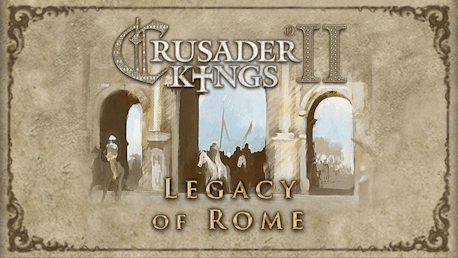
Crusader Kings II: Legacy of Rome (PC)

Crusader Kings II: Legacy of Rome CD key to be activated and downloaded via Steam. You will not be sent any physical items in the mail. You will receive a(n) Steam product key via e -mail.

Additional content!
CRUSADER KINGS II: LEGACY OF ROME GAME DESCRIPTION
Europe is in turmoil. The lands are fragmented into petty fiefs, the emperor struggles with the Pope, and the Holy Father declares that all those who go to liberate the Holy Land will be freed of their sins. Now is the time for greatness. The second expansion for the critically praised strategy/RPG Crusader Kings II: Legacy of Rome will focus on the Byzantine Empire - the Greek continuation of the Roman Empire - as well as on the Orthodox Church. Crusader Kings II explores one of the defining periods in world history in an experience crafted by Paradox Development Studio, the masters of Grand Strategy. Medieval Europe is brought to life in this epic game of knights, schemes, and thrones. Main features:
- Explore the intricate Faction System: Join a faction to put pressure on your liege, and keep track of factions in your own realm.
- Raise standing armies: You will now be able to use retinues to have standing armies in your domain: the size is determined by technology
- Experience Factional Revolts: No more easily defeated rebellions. Disgruntled vassals will now band together in revolt against your rule through their faction
- Appoint Orthodox patriarchs: Orthodox kingdoms and empires can now control their own heads of religion and their powers, instead of being dependent on the patriarch of Constantinople
- Streamlined mobilization: You will always raise a single, larger levy from your direct vassal; no need to worry about the opinions of the lower vassals
- Leader Focus on Combat: Appoint your generals wisely, their traits& skills are now of vital importance on the field of battle. More commander traits are now added to increase the importance of your choice of military leaders
- Explore Byzantine Events &Decisions: Legacy of Rome includes many specific events & decisions to make the Byzantine Empire come alive
- Improve your ruler: You can now actively strive to improve your skills or traits through the new Self Improvement Ambitions Read More: http://www.crusaderkings.com/
FREQUENTLY ASKED QUESTIONS
How does it work? Will I receive Crusader Kings II: Legacy of Rome as a physical copy?
No, you will receive Crusader Kings II: Legacy of Rome product key (Crusader Kings II: Legacy of Rome CD Key), that you will receive by e-mail. Afterwards, you will need to use the Steam-platform to redeem your Crusader Kings II: Legacy of Rome product key (Crusader Kings II: Legacy of Rome CD Key), and you'll be ready to download, install and play Crusader Kings II: Legacy of Rome. You will receive a step-by-step guide on how to do this along with your purchase. It's easy as can be!
Publisher Paradox Interactive
Udvikler Paradox Interactive
Sprog Engelsk
System requirements Read moreNo customer reviews for the moment.