
 Contact
  Infocenter
  login
login  0 商品 商品 0 Vare
 商品がありません
0 Product(s) for a total of: 0,00 €


Journey of Greed (PC)

****************************************************************
**** If you ran into an issue, or have any feedback,
**** please join this discord channel and send us a message: (we'll respond faster this way)
****
****************************************************************
This is a perfect hybrid of a social board game and strategy card game.
You play as a pirate... adventurer in the Age of Discovery, heading into the lost islands along
side three other adventurers. As you dive deeper and deeper into the adventure, things become
more dangerous and enticing, only the bravest and smartest can take the treasure out alive.
You'll make many different hard choices during the adventure:
- Continue for more or escape with what you have?
- Co-operate with other players or stabs them in the back?
- Prepare for the incoming danger or risk for more reward?
You'll find your answers in the Journey of Greed.
Share Less
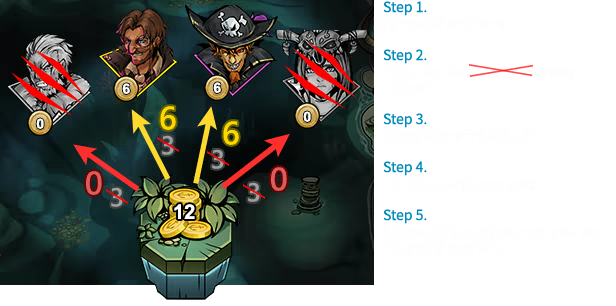
Take a Little
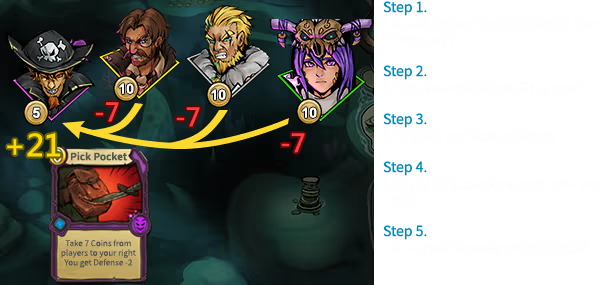
Hit and Run
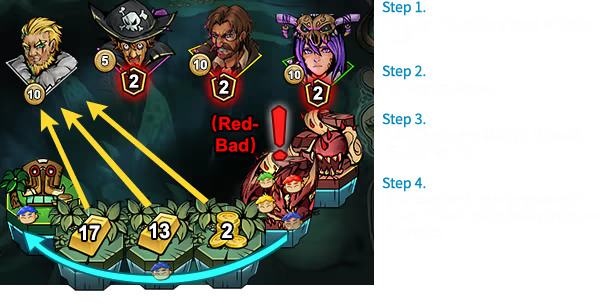
Self Provide
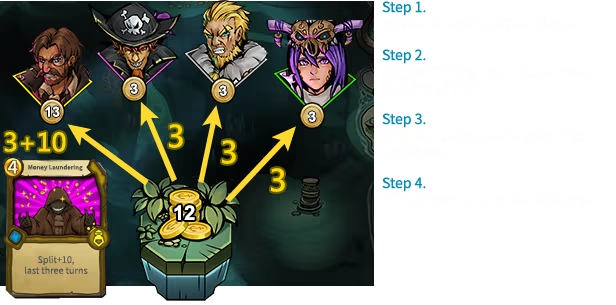


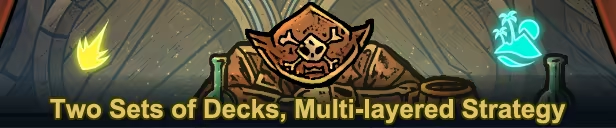
Difference between the demo and full version:
1. You can only open 10 “Barrels” in the demo.
2. You can't play Ladder mode after passing Rookie in the Demo
3. The demo and full version share the same server, so your data will persist once you get the full version.


How does it work? Will I receive Journey of Greed as a physical copy?
No, you will receive Journey of Greed product key (Journey of Greed CD Key), that you will receive by e-mail. Afterwards, you will need to use the Steam-platform to redeem your Journey of Greed product key (Journey of Greed CD Key), and you'll be ready to download, install and play Journey of Greed. You will receive a step-by-step guide on how to do this along with your purchase. It's easy as can be!
This is a perfect hybrid of social board game and strategy card game. Steal, set traps, assassinate, escape, mind games... Compete online with three other players at each adventure and use every mean possible to gain the most coins.

No customer reviews for the moment.