 Contact
  Infocenter
  login
login Requires the base game Crusader Kings II on Steam in order to use Crusader Kings II: Rajas of India.

 0 Product Products 0 Vare
 No products
Your basket contains
0 Product(s) for a total of: 0,00 €
0 Product(s) for a total of: 0,00 €

Product successfully added to your shopping cart
Quantity
Total
There are 0 items in your cart. There is 1 item in your cart.
Total products
Total shipping To be determined
Total
Crusader Kings II: Rajas of India (PC)
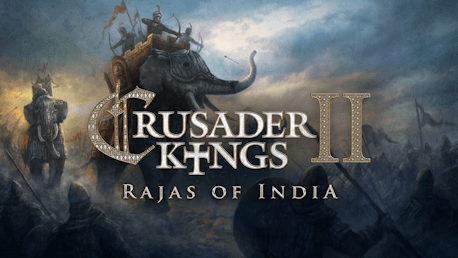
Crusader Kings II: Rajas of India (PC)

Crusader Kings II: Rajas of India CD key to be activated and downloaded via Steam. You will not be sent any physical items in the mail. You will receive a(n) Steam product key via e -mail.

Additional content!
CRUSADER KINGS II: RAJAS OF INDIA GAME DESCRIPTION
Rise up from the ashes of turmoil and anarchy to rule over a land fragmented into petty fiefs. Now is the time to take control. Now is the time for greatness.
Crusader Kings II: Rajas of India is the sixth expansion for the critically praised strategy/RPG Crusader Kings II and will focus on Eastern Persia and India. The expansion Rajas of India extends the map to the east, including the entire Indian subcontinent, and allows you to play as a Hindu, Buddhist or Jain ruler. Can you defend Dharma against foreign invaders and bring order to the subcontinent?
Crusader Kings II explores one of the defining periods in world history in an experience crafted by the masters of Strategy where medieval times is brought to life in this epic game of knights, schemes, and thrones...
Main features:
- Rajas of India features twice the landmass of the base game.
- Play as an Indian ruler. Start a new and quite different type of game by playing as an Indian raja in 867 (if you have The Old Gods expansion) or at any point between 1066 to 1337 AD.
- Three new Unique Religions. Choose between the Buddhist, Jain and Hindu beliefs for different benefits.
- Caste System.
- Experience Indian Events & Decisions.
- Elephants and Jungles.
- Hundreds of new Provinces including Central Asia and large parts of Siberia too.
- New Interface Skin.
- Indian characters get a unique set of facial profiles and clothes.
- Steam MP Matchmaking and Steam Workshop: These features are brought over from Europa Universalis IV into Crusader Kings II, together with Borderless Windowed mode in the patch together with the release of the expansion.
FREQUENTLY ASKED QUESTIONS
How does it work? Will I receive Crusader Kings II: Rajas of India as a physical copy?
No, you will receive Crusader Kings II: Rajas of India product key (Crusader Kings II: Rajas of India CD Key), that you will receive by e-mail. Afterwards, you will need to use the Steam-platform to redeem your Crusader Kings II: Rajas of India product key (Crusader Kings II: Rajas of India CD Key), and you'll be ready to download, install and play Crusader Kings II: Rajas of India. You will receive a step-by-step guide on how to do this along with your purchase. It's easy as can be!
Publisher Paradox Interactive
Udvikler Paradox Development Studio
Release date 25-03-2014
System requirements Read moreNo customer reviews for the moment.