
 Contact
  Infocenter
  login
login  0 Product Products 0 Vare
 No products
0 Product(s) for a total of: 0,00 €

Cargo, Please! (PC)


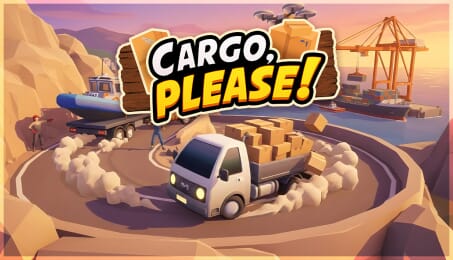
In Cargo, Please!, you play as a delivery truck driver taking on shipments across three cities. Each job starts the same way: accept a shipment, pick it up, and deliver it to the drop-off point. The twist is that not every delivery is safe, simple, or legal, and the police are always watching.
The game focuses on replayable, fast-paced driving mixed with a cozy, lighthearted tone. Shipments are smartly auto-generated, so no two runs feel exactly the same. Some deliveries are quick and easy, others are long, timed, or more fragile. Damaging your cargo can cost you, so how you drive matters just as much as how fast you go.
As you complete deliveries, you earn money and experience. Over time, you upgrade your truck to handle better shipments, unlock new trucks, access new cities, and expand your list of playable characters. Progress is steady and satisfying, built around improving your skills and pushing your limits without turning the game into a hardcore simulation.
The world is open, with a full day and night cycle and dynamic cozy weather that changes how each drive feels. Between deliveries, you can switch things up in Taxi Driver Mode, offering a more relaxed way to explore the cities and enjoy the driving mechanics.
Cargo, Please! is not about realism or long stories. It is about sinking into the loop of picking up jobs, driving fast, avoiding trouble, and slowly building a better delivery setup, one shipment at a time.

Take on a wide variety of cargo deliveries across three cities in an open world with a day and night cycle and dynamic weather.
Choose between light, mid, and heavy trucking, each offering a different driving feel and delivery challenge.
Shipments are auto-generated and come in multiple tiers, including easy, long, timed, and special deliveries, some of which attract police attention.
Cargo health plays a major role, rewarding careful driving even when things get fast and chaotic.
Truck customization lets you change paints, wheels, and trucks as you progress, and your vehicle can be upgraded to accept better-paying and riskier shipments.
Taxi Driver Mode offers a change of pace, while controller support and Steam Deck support make the game easy to pick up and play.

How does it work? Will I receive Cargo, Please! as a physical copy?
No, you will receive Cargo, Please! product key (Cargo, Please! CD Key), that you will receive by e-mail. Afterwards, you will need to use the Steam-platform to redeem your Cargo, Please! product key (Cargo, Please! CD Key), and you'll be ready to download, install and play Cargo, Please!. You will receive a step-by-step guide on how to do this along with your purchase. It's easy as can be!
Deliver fast, upgrade your ride, dodge the cops. Cargo, Please! is a top-down delivery game where every run is a risk. Get spotted and pay fines. Get reckless and your cargo pays the price. Race across cities and build your delivery empire.
No customer reviews for the moment.